AI document processing for insurance claims handling

Describe your exact workflow
Automate claims handling workflows
Stop wasting time on manual processing
Accelerate claims approval timelines
Improve accuracy, eliminate errors
Scale claims volume without stretching teams
Stay compliant and secure
Extract any information from any document, fast
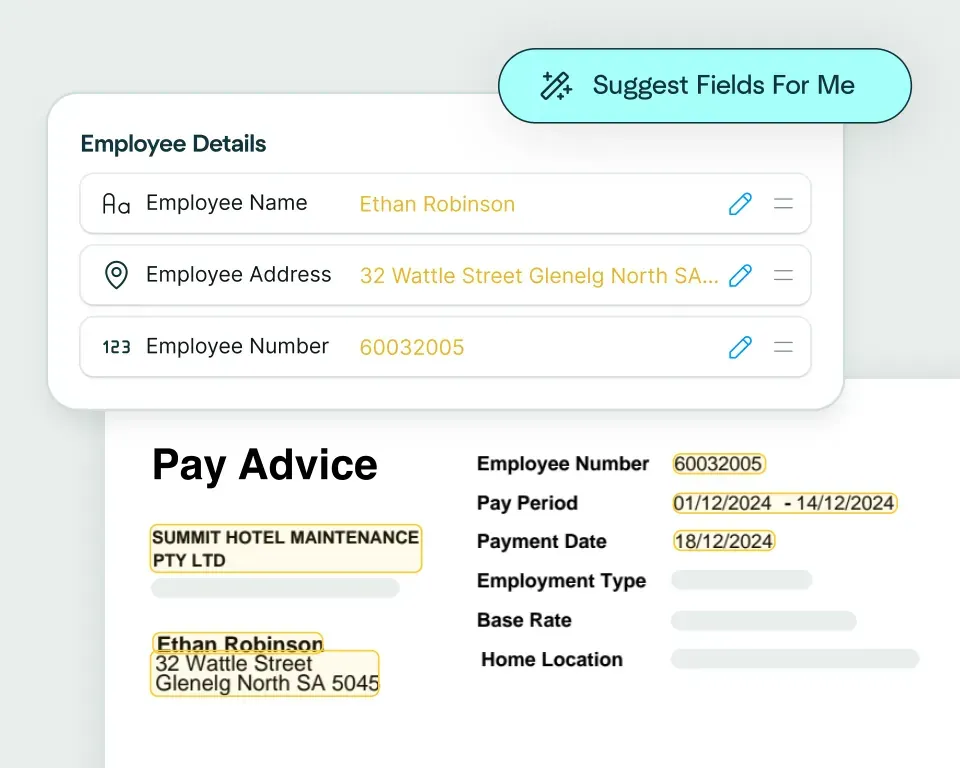
Create models in seconds
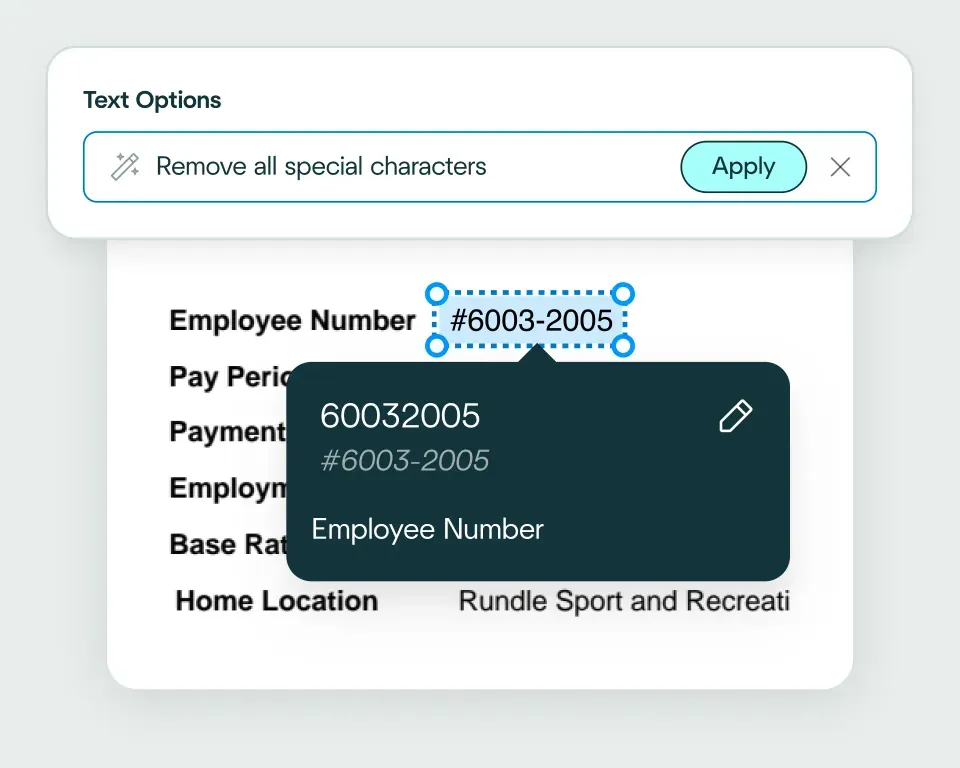
Validate and transform data
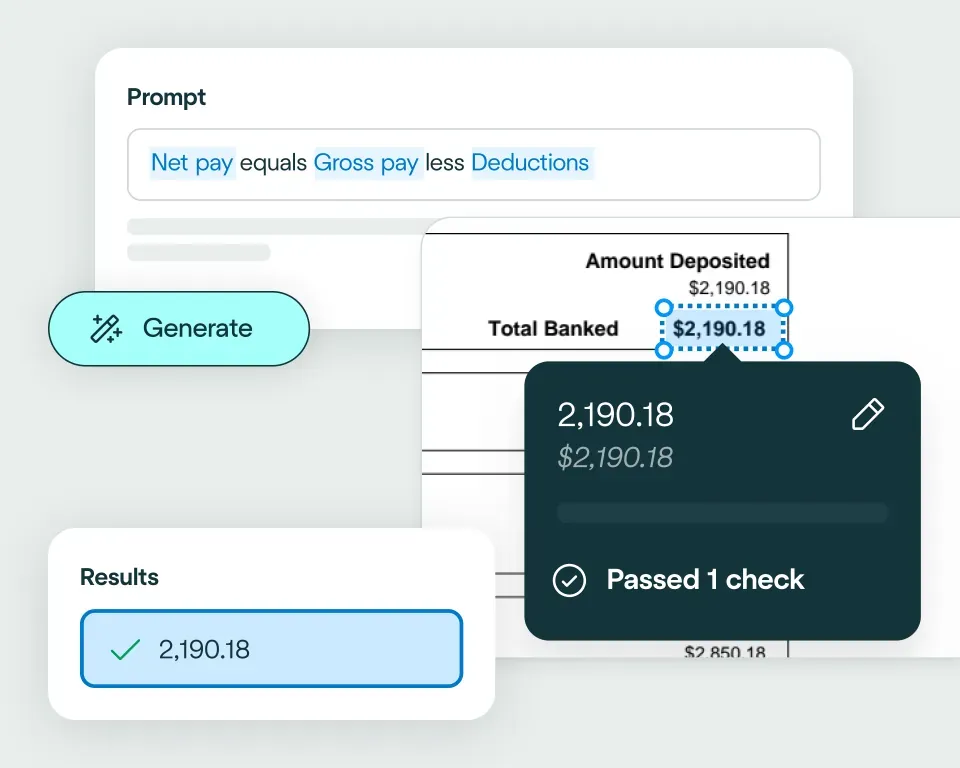
Apply your business logic
Pathway 1: Use the Agent
Pathway 2: Write your own code

Claims intake
Evidence review
Fraud detection
Policy validation
Settlement support
Customer communication
No need to talk to sales. Get started now
Sign up for free
Upload documents
See the magic


reduction in manual work
more invoices processed with no added staff
Enhanced auditability and tracking of invoice approvals


proof of delivery documents processed annually
of documents straight-through processed in the first weeks
Automatic validation of documents against ERP system


High accuracy parsing across multiple languages
Improved customer experience thanks to better structured data
Stronger compliance with international data security and software standards


documents processed annually
different document types
time saved in reviewing invoices


reduction in manual data input
reduction in compliance data errors
compliance documents processed annually

Combine the best of artificial and human intelligence

Frequently asked questions
How can automated claims processing speed up claim intake, triage and assessment?
Automated claims processing structures and validates claim information earlier in the workflow, before a handler begins the detailed assessment. Claim forms, invoices, evidence, reports and correspondence can be classified, extracted and checked as they arrive, helping teams triage the file and identify missing information sooner.
You can learn more about broader document processing in insurance and insurance workflow automation from our team.
What documents can be automated in an insurance claims workflow?
Insurance claims workflows can include claim forms, ACORD forms, invoices, receipts, medical reports, repair estimates, policy documents, evidence files and assessment reports. These may arrive over time and in different formats, so the workflow needs to identify each document and add the resulting data to the correct claim. Our guide to insurance document automation provides more examples.
How can claim forms, invoices, evidence and reports be validated before assessment?
Claim documents can be checked for completeness, consistency and required fields before a handler begins the assessment, so gaps and mismatches surface early rather than mid-review. Validated data can pre-fill claim records, organise incoming evidence and flag missing information, while failed records stay visible for review. Data matching supports those checks, and integrations move the confirmed result into the claims system without replacing the handler's judgement.
How can claims teams keep human review in place for high-risk or complex files?
Claims teams can define the document fields and validation failures that should always trigger review. High-value claims, inconsistent evidence, policy mismatches or unclear documents stay with a handler, while routine records that pass the configured rules can move through automatically. This is the control model behind straight-through processing and is explored further in our article on intelligent document processing in insurance.
Can extracted claims data be matched against policy records or downstream claims systems?
Yes. Extracted claim data can be compared with policy records, customer details or prior claim history to confirm cover, check consistency and flag mismatches before a claim progresses. Data matching handles those reference checks, and once the data is confirmed it can be shaped with data transformations and sent into the claims or policy system through an API or configured integration.
How is claims OCR different from claims workflow automation?
Claims OCR reads text from claim documents, while claims workflow automation turns that information into a controlled operational process. It classifies the claim files, extracts relevant fields, validates the data, routes exceptions and sends confirmed information into the downstream claims environment.