AI document processing for email classification and routing

Describe your exact workflow
Automate email classification and routing workflows end to end
Stop wasting time on manual processing
Accelerate document approval timelines
Improve accuracy, eliminate errors
Scale business without stretching teams
Built for compliance and data security
Extract any information from any document, fast
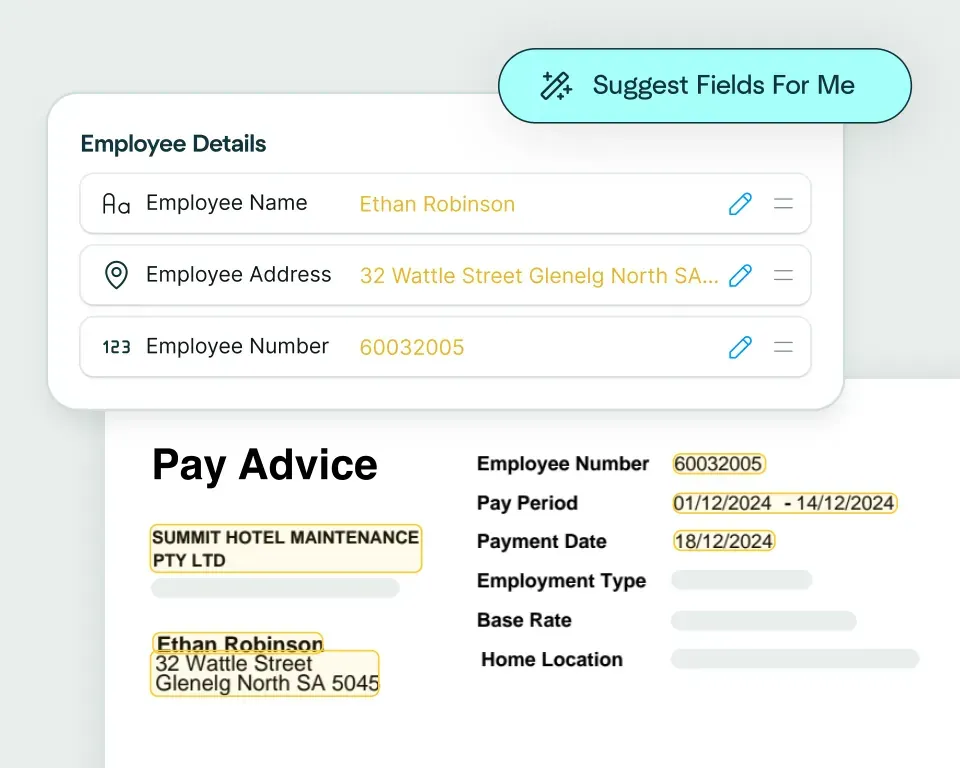
Create models in seconds
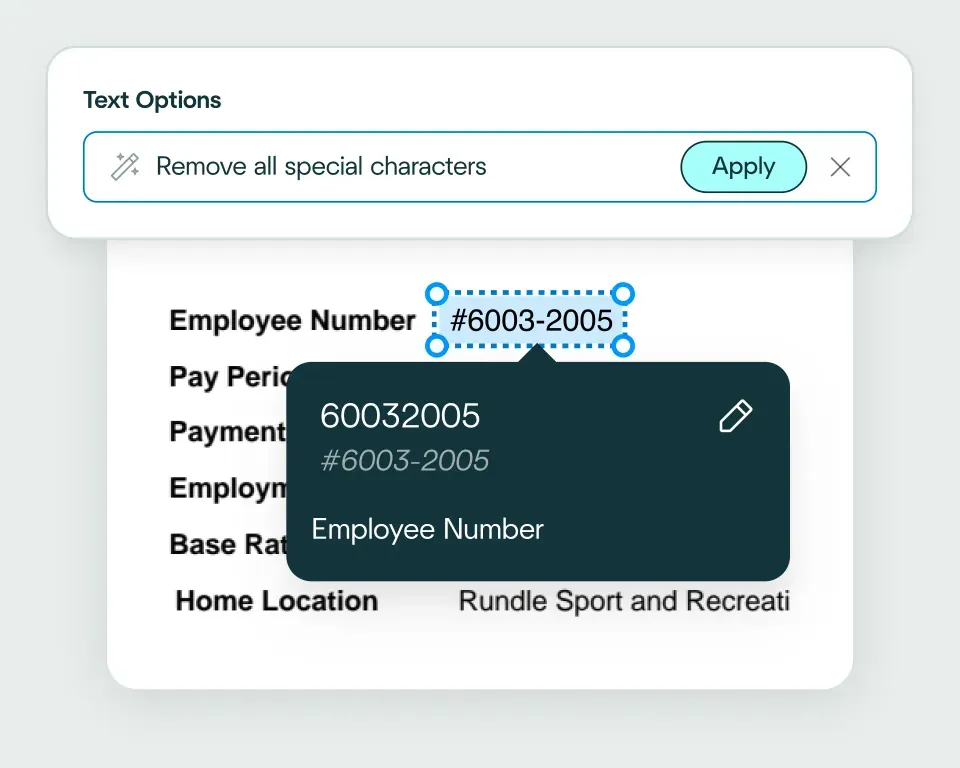
Validate and transform data
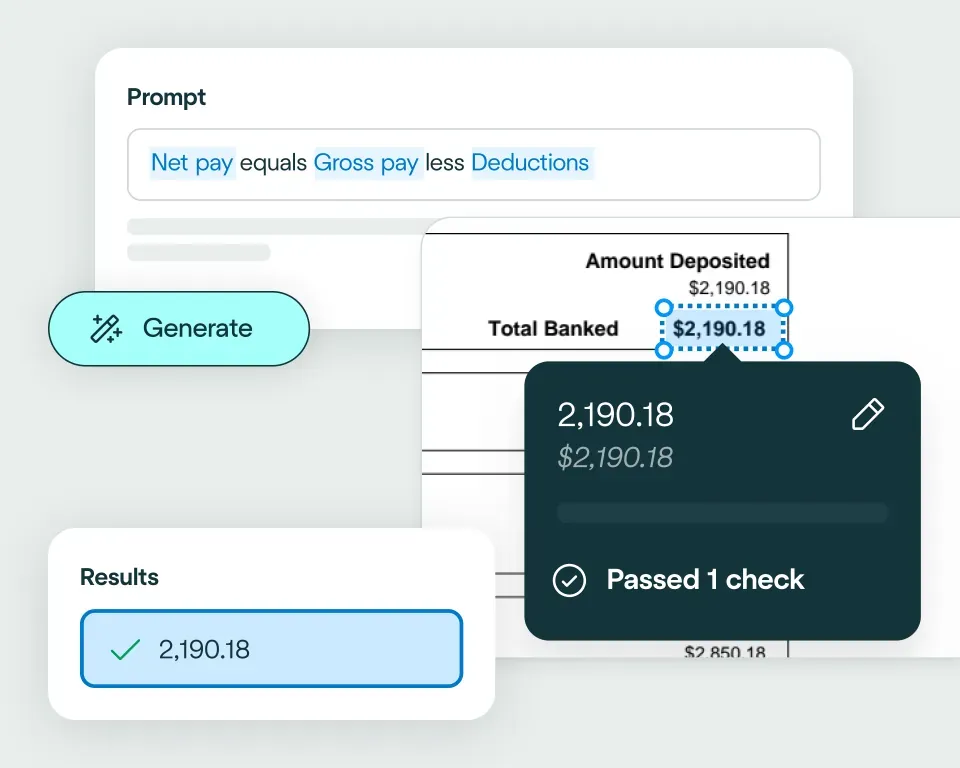
Apply your business logic
Pathway 1: Use the Agent
Pathway 2: Write your own code
What email classification and routing teams use AI document automation for
Instant inbox triage
Attachment handling
Ticket creation
Department routing
Priority detection
Compliance filtering
No need to talk to sales. Get started now
Sign up for free
Upload documents
See the magic


reduction in manual work
more invoices processed with no added staff
Enhanced auditability and tracking of invoice approvals


proof of delivery documents processed annually
of documents straight-through processed in the first weeks
Automatic validation of documents against ERP system


High accuracy parsing across multiple languages
Improved customer experience thanks to better structured data
Stronger compliance with international data security and software standards


documents processed annually
different document types
time saved in reviewing invoices


reduction in manual data input
reduction in compliance data errors
compliance documents processed annually

Combine the best of artificial and human intelligence

Frequently asked questions
How does email classification and routing automation work with attached documents?
Email classification and routing automation identifies the type of inbound request and the documents attached to it, then sends the work to the right queue, team or system. The attachments can also be split, classified, extracted and validated on the Affinda Platform before handoff, turning the inbox into the starting point for a wider document workflow.
What is the difference between email automation software and email workflow automation for operations teams?
Email automation software often refers to marketing or sales sequences, while email workflow automation handles inbound operational work. It classifies messages, processes attachments and routes validated information into claims, finance, onboarding, service or case-management systems rather than simply sending scheduled emails.
Can AI classify inbound emails and route work to the right team or system?
Yes. AI can classify an inbound message by request type, attachment set and likely next step, then apply routing rules to send it to the relevant workflow. For example, claims correspondence can go to a claims queue, supplier invoices to accounts payable and onboarding documents to compliance, with integrations used to connect the result to the receiving system. Our article on AI document capture for unstructured data provides more background.
How can finance, claims or onboarding teams automate document intake from email?
Teams can automate email intake by classifying each message, identifying the attachments and sending the documents into the appropriate extraction and validation workflow. The same entry point can feed accounts payable, claims processing or customer onboarding and KYC without requiring staff to download and re-upload every file.
How should teams handle exceptions when an email or attachment cannot be confidently classified?
Emails or attachments that do not meet the configured routing rules should be held for review with the message, attachment and suggested classification visible. A reviewer can confirm the destination or document type before processing continues, while correctly classified work moves through automatically using the same exception-led model as straight-through processing.
Can email workflow automation send extracted attachment data into CRM, claims, finance or onboarding systems?
Yes. Once attachment data has been extracted and validated, it can be formatted and sent into CRM, claims, finance, onboarding or case-management systems. Data transformations prepare the output for the target schema, while the API, webhooks or configured integrations handle the handoff.