AI-powered document redaction software

Describe your exact workflow
Automate document redaction workflows end to end
Stop wasting time on manual processing
Accelerate document approval timelines
Improve accuracy, eliminate errors
Scale business without stretching teams
Built for compliance and data security
Extract any information from any document, fast
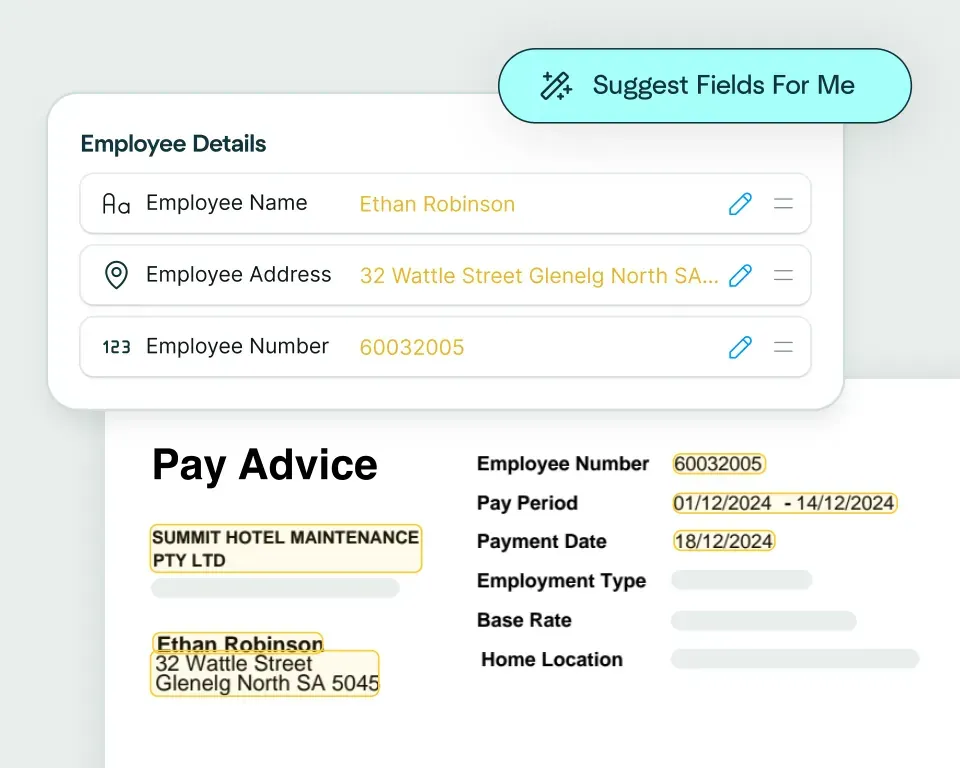
Create models in seconds
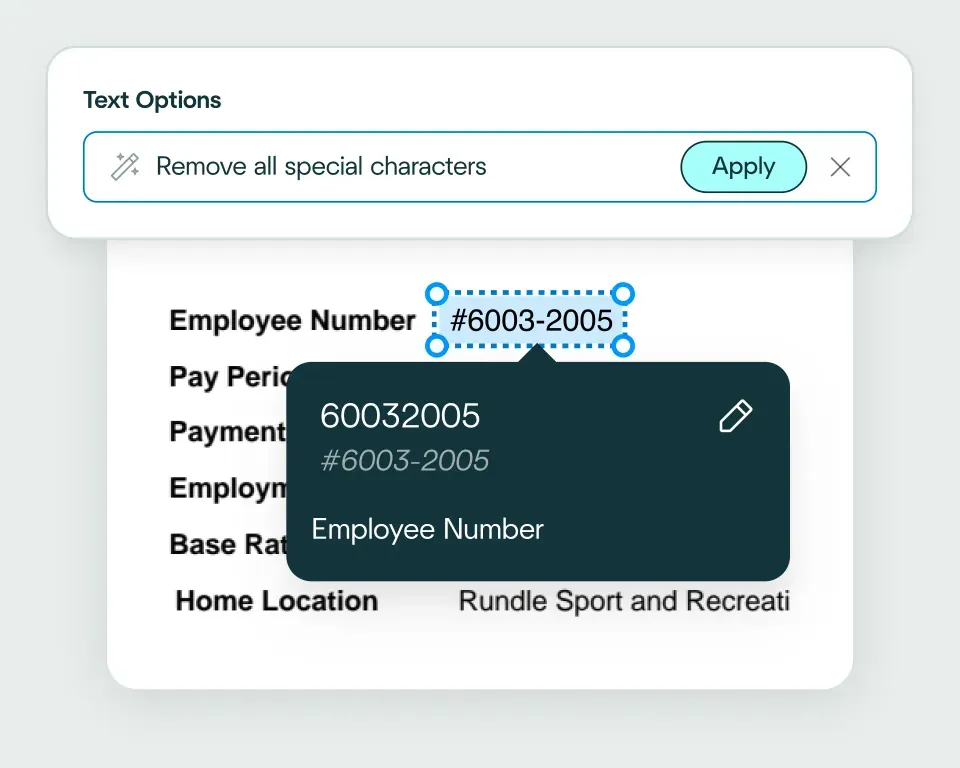
Validate and transform data
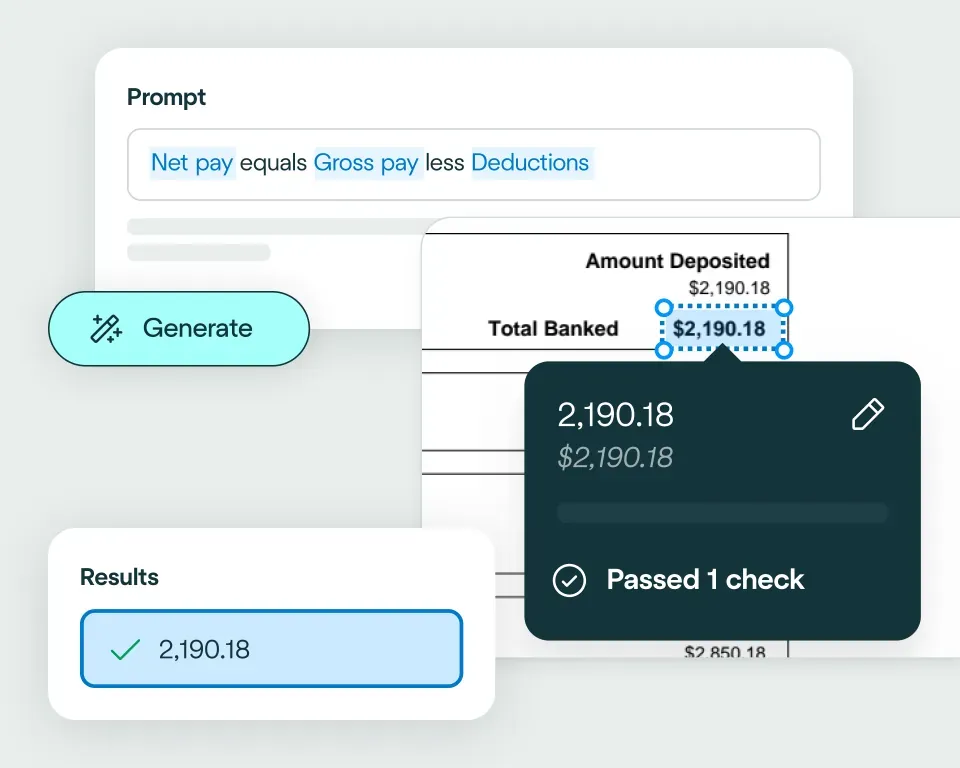
Apply your business logic
Pathway 1: Use the Agent
Pathway 2: Write your own code
What document redaction teams use AI document automation for
PII detection
Legal redaction
Compliance redaction
Financial redaction
Case file preparation
FOIA/public release
No need to talk to sales. Get started now
Sign up for free
Upload documents
See the magic


reduction in manual work
more invoices processed with no added staff
Enhanced auditability and tracking of invoice approvals


proof of delivery documents processed annually
of documents straight-through processed in the first weeks
Automatic validation of documents against ERP system


High accuracy parsing across multiple languages
Improved customer experience thanks to better structured data
Stronger compliance with international data security and software standards


documents processed annually
different document types
time saved in reviewing invoices


reduction in manual data input
reduction in compliance data errors
compliance documents processed annually

Combine the best of artificial and human intelligence

Frequently asked questions
What is automated document redaction and when should teams use it?
Automated document redaction identifies sensitive information and removes or obscures it before a document is shared, stored or reviewed. It's useful when teams process high volumes of files containing personal information, financial details, health information, HR data or regulated customer records. See how this fits into a broader document redaction workflow on the Affinda Platform.
How can redaction software identify PII, financial details and sensitive data in PDFs or scanned documents?
Redaction software uses OCR and document AI to locate configured information such as names, addresses, dates of birth, account numbers, identity details and financial values. In scanned or mixed-format files, the workflow first needs to read and structure the document, then apply the redaction rules and hold flagged results for review before the final file is released.
What is the difference between PDF redaction, OCR redaction and a governed redaction review workflow?
PDF redaction removes visible text or regions from a PDF, while OCR redaction first reads text from scanned documents so it can be identified. A governed redaction workflow adds configured rules, reviewer approval and an audit trail around that process, helping teams avoid releasing a document simply because the software found a likely match. For a practical example, see how to redact a CV.
Can document redaction software route flagged results for human review?
Yes. Redactions that fail a configured rule or need a policy judgement should be routed to a reviewer rather than applied blindly. The reviewer can inspect the source document, confirm whether the information should be removed and approve the final output, following the same exception-led approach used in straight-through processing.
What documents should compliance teams redact before sharing or archiving?
Compliance teams commonly redact identity documents, contracts, correspondence, financial records, claims files, HR documents and evidence packs. The exact fields depend on who will receive the file and why; for example, an ID card or bank statement may contain several pieces of information that are necessary internally but should not be exposed externally.
How do audit trails support privacy and compliance redaction workflows?
Audit trails show what information was detected, what was redacted, who reviewed the result and why the document was approved. That creates a clearer record for privacy, legal, HR and compliance teams than a black-box process with no evidence of how the final file was produced. This connects to the broader compliance workflow, and our article on grounding AI for real-world reliability explores the importance of keeping outputs connected to their source.