AI document processing for business process outsourcing

Describe your exact workflow
Automate business process outsourcing workflows end to end
Stop wasting time on manual processing
Accelerate document approval timelines
Improve accuracy, eliminate errors
Scale business without stretching teams
Built for compliance and data security
Extract any information from any document, fast
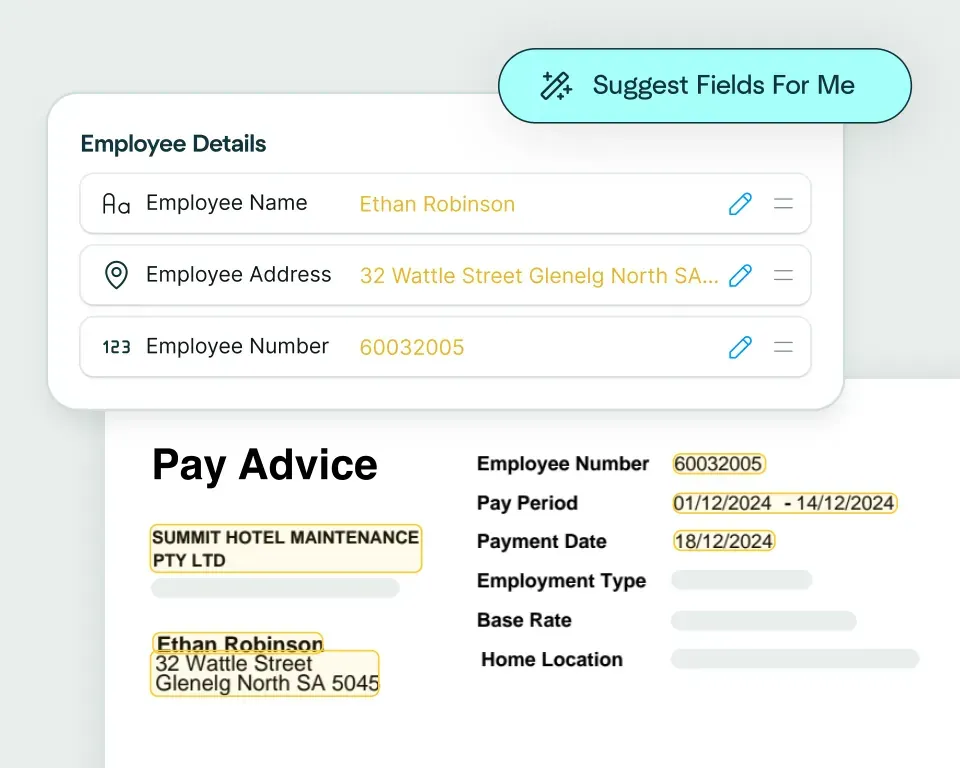
Create models in seconds
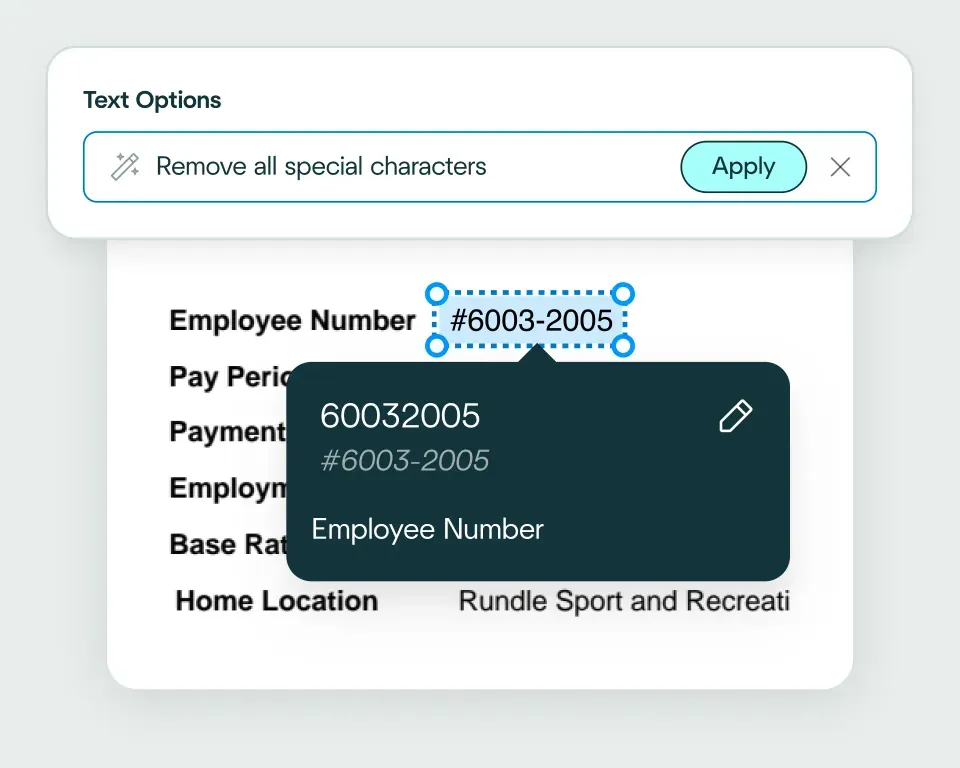
Validate and transform data
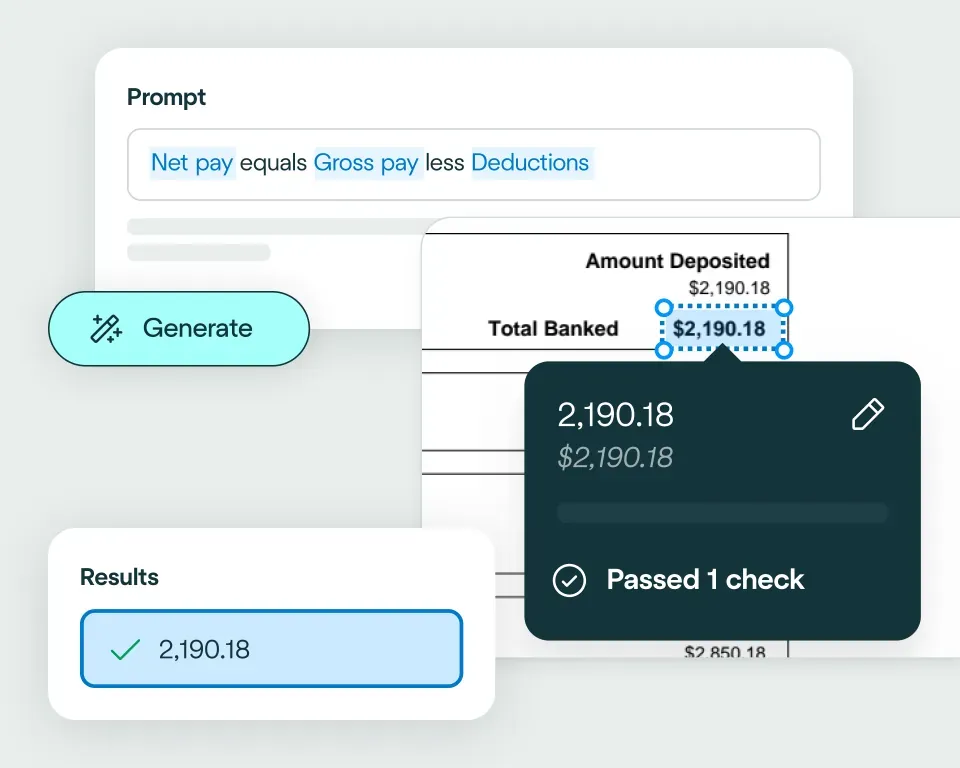
Apply your business logic
Pathway 1: Use the Agent
Pathway 2: Write your own code
What business process outsourcing teams use AI document automation for
Client onboarding
High-volume processing
Workflow routing
Quality assurance
Performance reporting
Keep costs low
No need to talk to sales. Get started now
Sign up for free
Upload documents
See the magic


reduction in manual work
more invoices processed with no added staff
Enhanced auditability and tracking of invoice approvals


proof of delivery documents processed annually
of documents straight-through processed in the first weeks
Automatic validation of documents against ERP system


High accuracy parsing across multiple languages
Improved customer experience thanks to better structured data
Stronger compliance with international data security and software standards


documents processed annually
different document types
time saved in reviewing invoices


reduction in manual data input
reduction in compliance data errors
compliance documents processed annually

Combine the best of artificial and human intelligence

Frequently asked questions
How can BPO teams automate document processing across different client workflows?
BPO teams can automate document processing by configuring a separate workflow for each client's documents, fields, business rules and output requirements. The Affinda Platform can ingest files, split mixed packs, classify documents, extract the required data, validate it and route exceptions to the appropriate review team before sending confirmed results into client systems through integrations.
What is the difference between document processing outsourcing and BPO document automation?
Document processing outsourcing is the service a BPO provides; BPO document automation is the technology used to deliver that service more efficiently and consistently. Automation handles the repeatable intake, extraction and validation work, while the BPO retains the client knowledge, service controls and judgement needed to manage exceptions.
How can a BPO onboard new document formats without retraining models from scratch?
A BPO can onboard new document formats by defining the document type, fields, validation rules and output structure for the new workflow. The Affinda Agent can propose this configuration from a plain-language description, while corrections and approved examples become reusable workflow instructions rather than requiring a traditional model-retraining project.
What review and QA controls do BPO teams need for automated document processing?
BPO teams need visibility into the source document, extracted values, failed validation rules and reviewer decisions. Review queues should prioritise the exceptions that need attention instead of forcing staff to recheck every field, allowing clean records to move toward straight-through processing while client-specific QA standards remain intact.
Can BPO document automation handle hundreds of thousands of documents each month?
Yes, provided the workflow is designed for high-volume intake, automated validation, queue management and downstream integration. At BPO scale, the value comes from more than extraction: documents need to be classified by client and type, checked against the correct rules, prioritised when something fails and delivered in the format each client system expects, using data transformations to match each schema. See the wider BPO document automation use case.
How should BPOs route exceptions when extracted document data does not meet client rules?
BPOs should route exceptions by client, document type, failed rule and operational priority. A reviewer should be able to see the source file, the extracted value and the reason it failed before correcting or approving the record. Where checks depend on supplier, customer or other reference data, data matching can be used to separate valid records from true exceptions.