AI document processing for logistics
AI document processing for logistics




















How the logistics industry automates business processes with AI
How the logistics industry automates business processes with AI
Speed up shipment processing and customs clearance
Speed up shipment processing and customs clearance
Reduce manual data entry across supply chain workflows
Reduce manual data entry across supply chain workflows
Improve compliance and traceability at every stage
Improve compliance and traceability at every stage
Extract any information from any document, fast
Extract any information from any document, fast
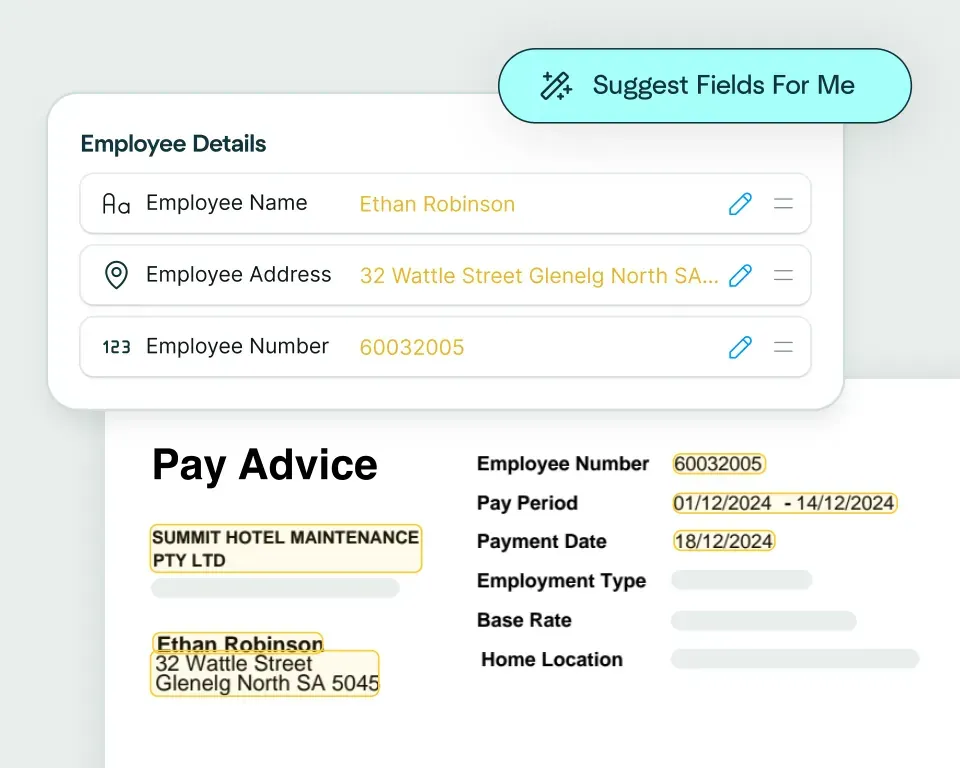
Create models in seconds
Create models in seconds
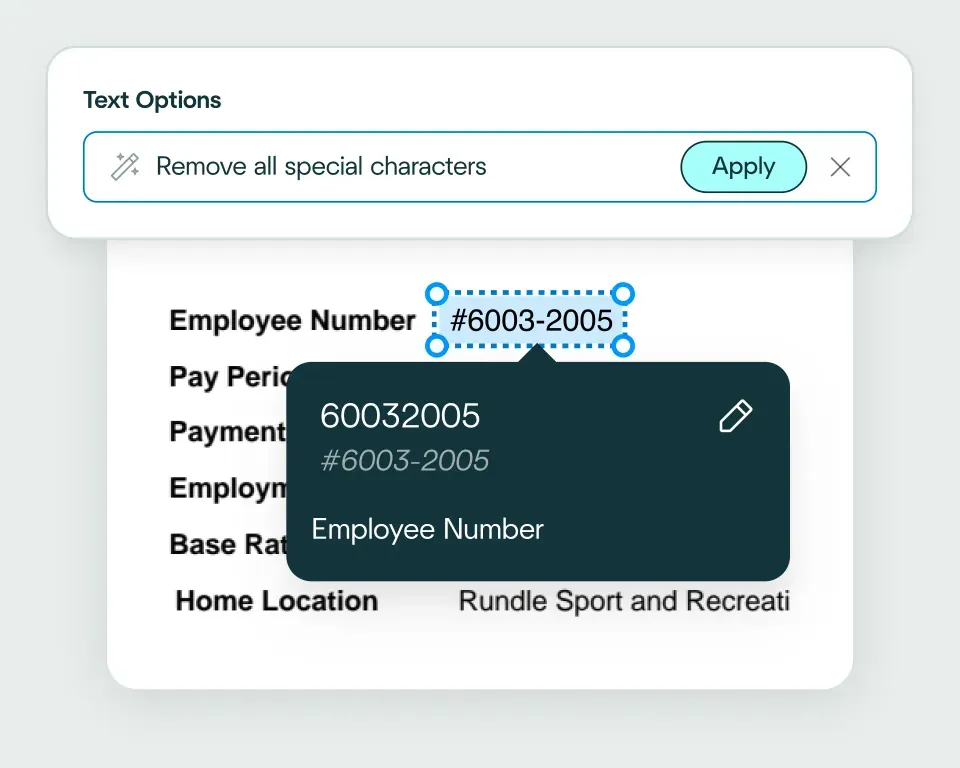
Validate and transform data
Validate and transform data
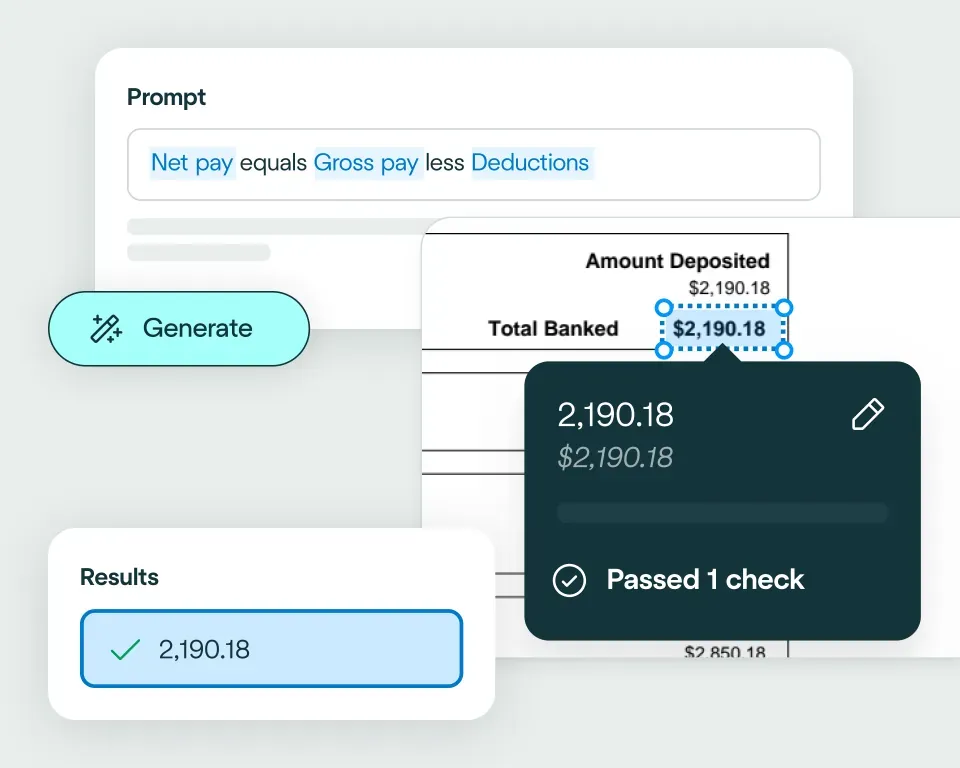
Apply your business logic
Apply your business logic
Pathway 1: Build with our agent
Pathway 1: Build with our agent
Pathway 2: Write to core systems via API
Pathway 2: Write to core systems via API
Pathway 3: Connect your own AI agent
Pathway 3: Connect your own AI agent
No need to talk to sales. Get started now
No need to talk to sales. Get started now
Sign up for free
Upload documents
See the magic


reduction in manual work
more invoices processed with no added staff
Enhanced auditability and tracking of invoice approvals

proof of delivery documents processed annually
of documents straight-through processed in the first weeks
Automatic validation of documents against ERP system


High accuracy parsing across multiple languages
Improved customer experience thanks to better structured data
Stronger compliance with international data security and software standards


documents processed annually
different document types
time saved in reviewing invoices


reduction in manual data input
reduction in compliance data errors
compliance documents processed annually

Combine the best of artificial and human intelligence
Combine the best of artificial and human intelligence

Frequently asked questions
What is logistics document automation?
Logistics document automation turns freight, customs, shipping and delivery documents into structured data that can move through transport and supply-chain workflows. The gain isn't just reading the paperwork – it's that Affinda Extract splits mixed shipment packs, extracts the fields each system needs, validates them and sends clean data into your operational tools, so a shipment isn't held up by a document waiting to be keyed in.
Learn more about logistics document automation or read our guide to automating logistics document processes.
Which freight, shipping and delivery document packs can Affinda process?
Affinda Extract can process logistics packs containing bills of lading, air waybills, customs declarations, certificates of origin, commercial invoices, manifests, delivery dockets and proof-of-delivery documents. A single shipment usually arrives as several of these at once, so the platform can split the pack, identify each document and prepare the extracted data for the consignment workflow.
See the full range of document types the platform handles, or talk to our team about a specific workflow.
How can freight forwarders automate bills of lading and air waybills?
Freight forwarders can use Affinda to extract shipment, carrier, consignee, route, quantity and reference details from bills of lading and air waybills.
Those values are validated against your rules before they reach a TMS, WMS or ERP and anything that fails – a missing reference, a mismatch against the booking – routes to review. So the data that updates your operational systems is checked first, not corrected after it's already caused a downstream problem.
How can customs declaration automation reduce clearance delays?
Customs declaration automation reduces delays by capturing the required shipment and trade data early, flagging missing or inconsistent fields, and preparing validated outputs for clearance workflows. Most hold-ups come from incomplete or contradictory paperwork found late – catching those gaps at intake, while there's still time to fix them, is what keeps a shipment moving.
See the workflow in our customs clearance use case and explore customs declarations.
How is freight document processing different from simple OCR?
Simple OCR reads text off a page. Freight document processing does the work that makes that text usable: it classifies each document in the pack, extracts logistics-specific fields, validates the values and prepares data for transport systems.
Read more on intelligent document processing for logistics and how Affinda Extract supports the wider workflow.
Can proof of delivery documents and delivery dockets be validated automatically?
Yes. Affinda Extract can extract delivery references, dates, quantities, signatures, carrier information and related fields, then flag missing or conflicting details for review. Where delivery documents include handwritten details or signatures, our handwriting recognition capability can help keep those files in the workflow.
How can logistics teams manage exceptions across depots, lanes or carriers?
Logistics teams can use validation rules and review queues to separate clean files from exceptions caused by missing documents, inconsistent references or carrier-specific formats. Our straight-through processing and data matching and validation capabilities help teams separate clean documents from review-required exceptions.
Can validated freight data flow into TMS, WMS or ERP systems?
Yes. Affinda Extract can export validated freight data into TMS, WMS, ERP or internal workflow systems via API and configured outputs.
Teams can use the Affinda Extract Agent to help set up export workflows with natural-language instructions, while data transformations shape the output to match the fields and format each system expects.
What should operations teams look for in AI document processing for logistics?
Operations teams should look for multi-document pack handling, variable-layout extraction, validation, exception review, integration and visibility across high-volume workflows.
The one that separates real logistics tools from the rest is pack handling – shipments arrive as bundles, so a platform that only reads single clean files falls over on the first mixed consignment. Pair that with validation and exception review, and volume can rise without manual handling rising with it.
See how the full workflow fits together on Affinda Extract, or the guide to automating logistics document processes.
How can logistics teams increase straight-through processing for high-volume document packs?
Teams increase straight-through processing by defining the required fields and validation rules each document type has to pass. Clean freight packs then move forward automatically, while incomplete or inconsistent files route to review – so the more of your rules a pack satisfies, the less it needs a human to touch. As validation rules and review feedback are refined, teams can improve the share of documents that move through without intervention.
See how straight-through processing moves clean documents forward with less manual handling.