AI document processing for accounts payable

Describe your exact workflow
Automate accounts payable workflows end to end
Stop wasting time on manual processing
Accelerate document approval timelines
Improve accuracy, eliminate errors
Scale business without stretching teams
Built for compliance and data security
Extract any information from any document, fast
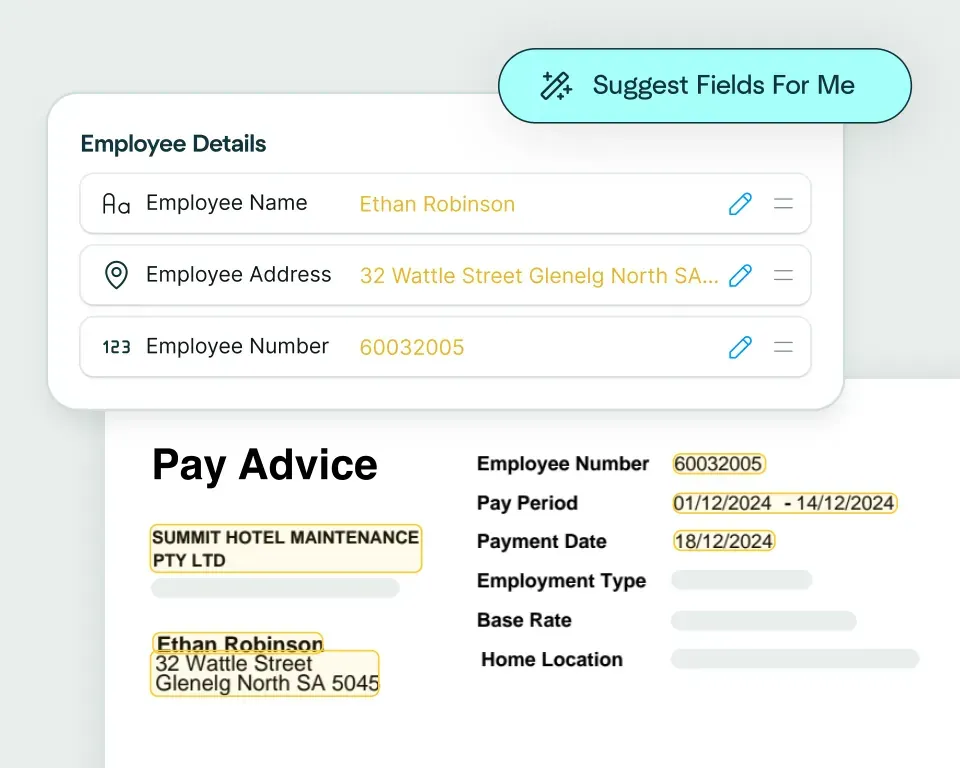
Create models in seconds
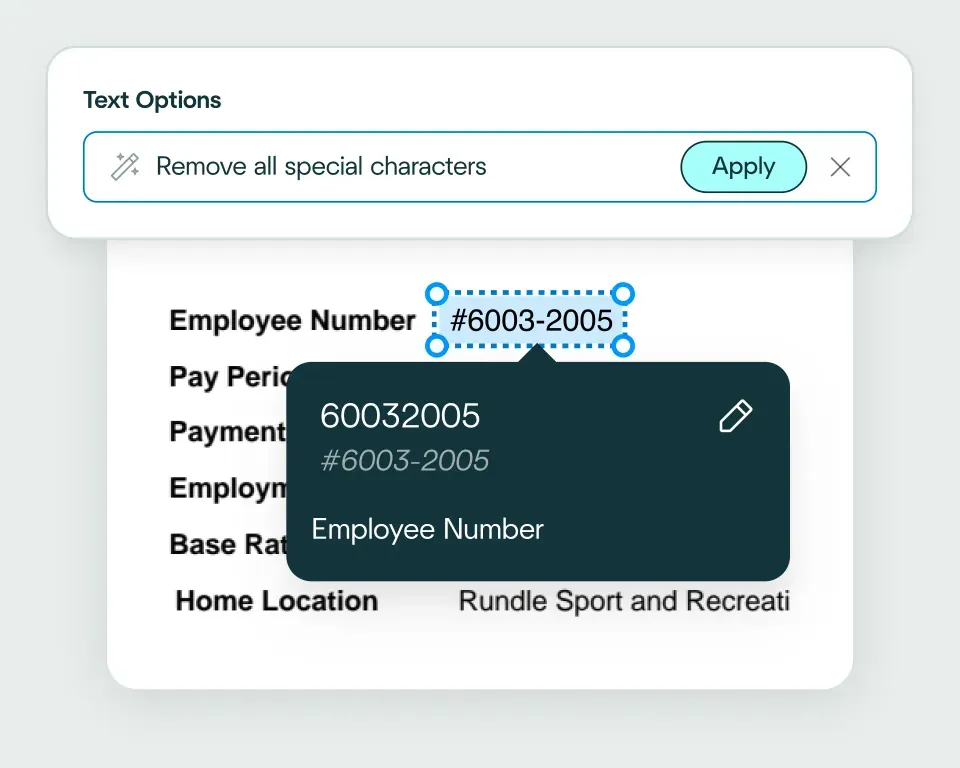
Validate and transform data
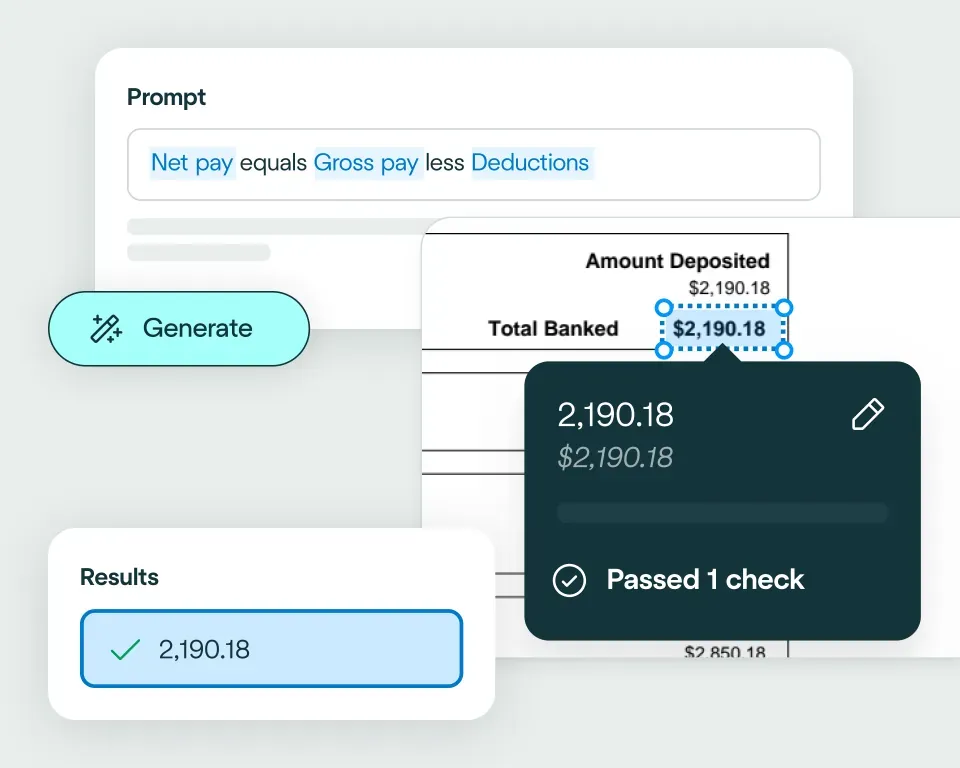
Apply your business logic
Pathway 1: Use the Agent
Pathway 2: Write your own code
What accounts payable teams use AI document automation for
Invoice processing
Purchase order matching
Expense management
Vendor onboarding
Duplicate detection
Compliance checks
No need to talk to sales. Get started now
Sign up for free
Upload documents
See the magic


reduction in manual work
more invoices processed with no added staff
Enhanced auditability and tracking of invoice approvals


proof of delivery documents processed annually
of documents straight-through processed in the first weeks
Automatic validation of documents against ERP system


High accuracy parsing across multiple languages
Improved customer experience thanks to better structured data
Stronger compliance with international data security and software standards


documents processed annually
different document types
time saved in reviewing invoices


reduction in manual data input
reduction in compliance data errors
compliance documents processed annually

Combine the best of artificial and human intelligence

Frequently asked questions
What is AP automation and how does it reduce manual invoice processing work?
AP automation captures and validates invoice and supplier data before sending it into approval or ERP workflows. The wider accounts payable process can include document intake, invoice extraction, PO and receipt matching, exception review and downstream posting, reducing the repetitive work left behind by invoice OCR alone. You can read more about automated invoice processing from the team.
How can accounts payable automation software validate invoice, PO, receipt and supplier data before posting to an ERP?
Accounts payable automation software can extract invoice fields, compare supplier information, match purchase orders and receipts, and check totals, taxes and required approvals. Failed checks remain in review, while documents that meet the rules can be confirmed and delivered to the ERP through an API or configured integration.
What is the difference between invoice processing software, invoice automation and an AP validation workflow?
Invoice processing software and invoice automation usually focus on capturing and routing invoice data. An AP validation workflow checks that data against POs, receipts, supplier records and business rules before approval or posting, using capabilities such as data matching and straight-through processing to separate clean invoices from true exceptions.
Which AP documents can be automated besides invoices?
AP teams can automate purchase orders, goods receipts, credit notes, supplier forms, remittance documents, statements and supporting approval evidence alongside invoices. Processing these documents together gives the workflow the context needed to validate a transaction rather than treating the invoice as an isolated file. Our article on AI invoice processing covers the extraction component in more detail.
How can AP invoice automation handle exceptions when invoice data does not match business rules?
AP invoice automation should hold a document for review when totals do not reconcile, supplier details are missing, PO or receipt information conflicts, or an approval rule fails. The reviewer should see the invoice, extracted values and failed rule in one place, while clean invoices continue without an unnecessary manual check.
Can AP document workflows support purchase order matching and approval routing?
Yes. AP workflows can match invoices against purchase orders and receipts, check that quantities, prices and totals reconcile, and route each invoice down the right approval path – passing matched invoices toward posting while discrepancies go to a reviewer. Data matching supports the PO and supplier checks that two- and three-way matching rely on.
Can AI accounts payable automation reduce manual data entry and compliance errors?
Yes. AI accounts payable automation can reduce data entry by extracting and validating AP information before it reaches approval and ERP systems. It can also improve control by keeping the source evidence, validation results and reviewer decisions attached to each exception. The Affinda Agent can help configure the fields, rules and destination systems for the workflow, while this guide explains the wider benefits of automated invoice processing.