Automate document processing into Google Drive

Get data from your documents into Google Drive

Invoices and receipts
Automatically extract invoice numbers, dates, amounts and vendor details from receipts and invoices, then organize them into structured folders in Google Drive for instant access and searchability.
Contracts and agreements
Extract parties, dates and contract values from agreements and contracts, then automatically organize and tag them in Google Drive for faster retrieval and improved compliance tracking.
Compliance documents
Extract document types, entities and compliance dates from audit reports and forms, then automatically tag and store them in dedicated Drive folders for regulatory readiness.
HR and onboarding documents
Extract employee details, form types and dates from onboarding documents and HR forms, then organize and share them with stakeholders via Drive to streamline collaboration and speed up processes.
How to automate document processing into Google Drive
Automatically send your documents to Affinda
AI agents extract and validate key data fields
See your data appear in Google Drive
Extract any information from any document, fast
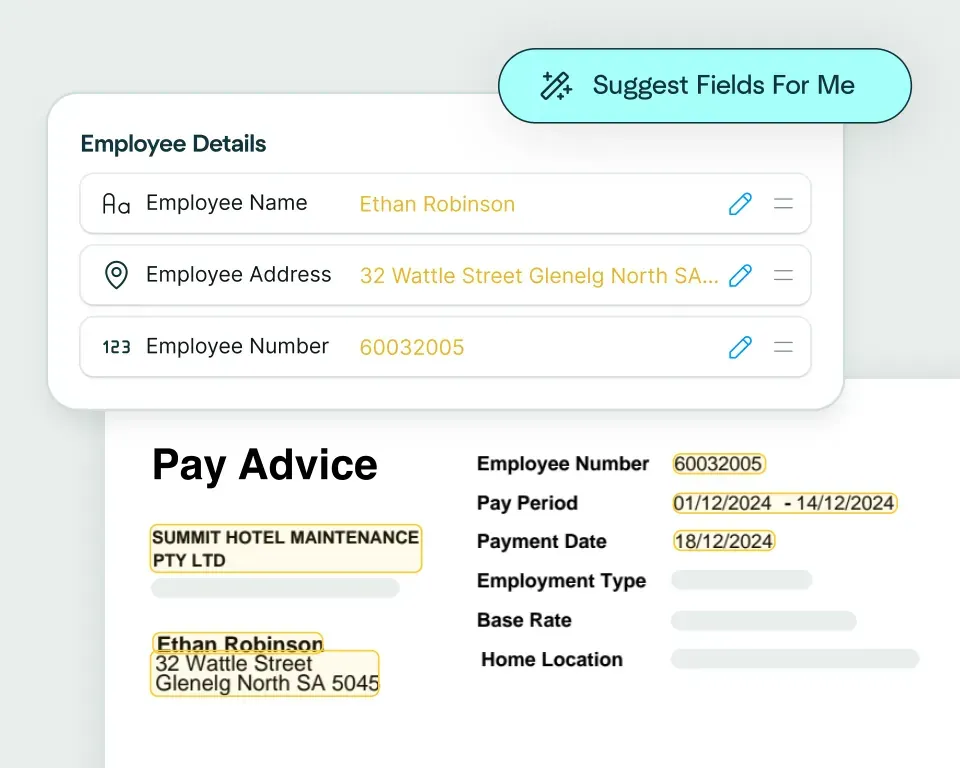
Create models in seconds
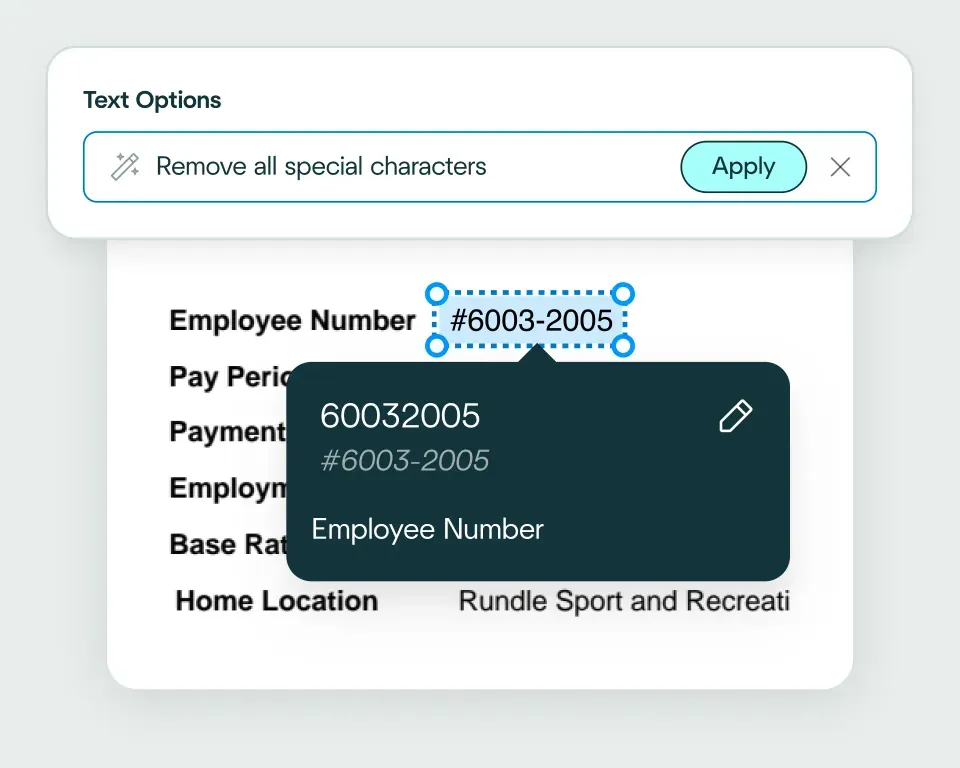
Validate and transform data
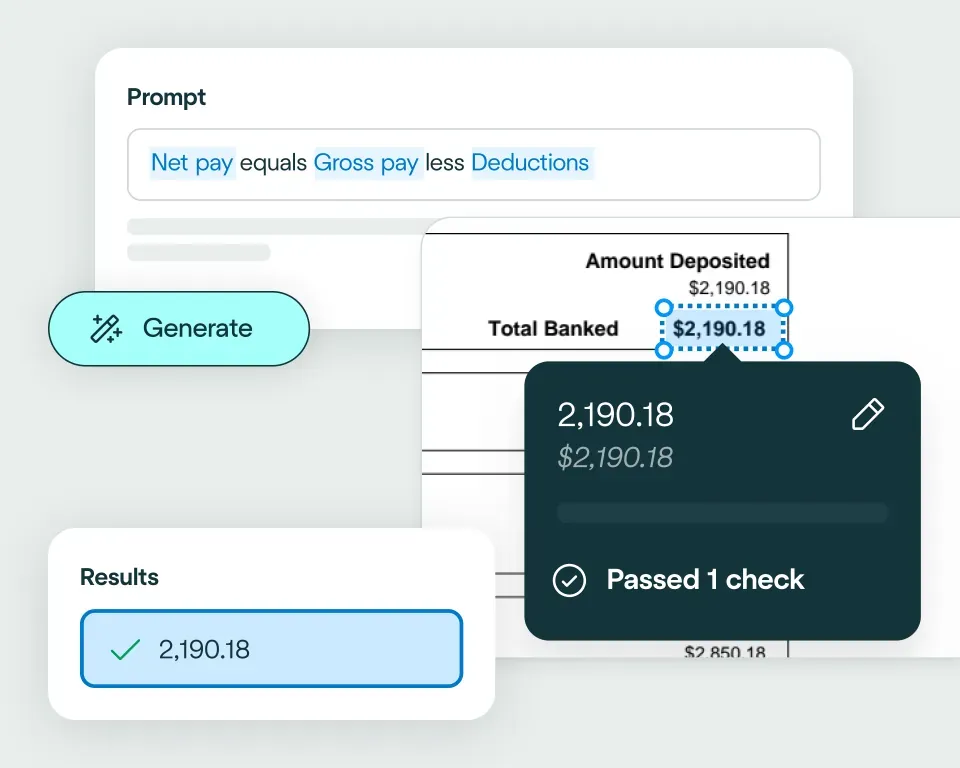
Apply your business logic
Pathway 1: Use the Agent
Pathway 2: Write your own code
No need to talk to sales. Get started now
Sign up for free
Set up your integration
Start processing


reduction in manual work
more invoices processed with no added staff
Enhanced auditability and tracking of invoice approvals


proof of delivery documents processed annually
of documents straight-through processed in the first weeks
Automatic validation of documents against ERP system


High accuracy parsing across multiple languages
Improved customer experience thanks to better structured data
Stronger compliance with international data security and software standards


documents processed annually
different document types
time saved in reviewing invoices


reduction in manual data input
reduction in compliance data errors
compliance documents processed annually
Combine the best of artificial and human intelligence

Frequently asked questions
Does Affinda integrate with Google Drive?
Yes. Affinda's integration with Google Drive connects your document processing directly to your storage and collaboration workflows. It automatically extracts, validates and organizes data from invoices, receipts, contracts, compliance documents and HR forms straight into Drive. With Affinda, you can archive documents faster, improve searchability and maintain centralized control over your business files by leveraging a single, connected workflow.
How does the Affinda-Google Drive integration work?
Affinda's intelligent document processing reads any document from any source (email, upload or API) and instantly extracts structured data such as vendor details, dates, amounts and key metadata.
Once validated, this data is automatically organized into structured folders within Google Drive. Invoices and receipts are tagged and filed for instant searchability, while contracts and compliance documents are stored in dedicated folders for easy retrieval.
You can also configure custom organization rules, such as automatic folder routing based on document type or vendor, ensuring everything lands exactly where it should.
What types of documents can Affinda process and send to Google Drive?
Affinda processes any document type and sends structured data straight to Google Drive, including:
- Invoices and receipts
- Contracts and agreements
- Compliance forms and audit reports
- HR documents and onboarding forms
It handles both digital files and scanned documents, using advanced OCR and AI-powered extraction to achieve more than 99% accuracy across any format or layout.
Do I need to manually upload files to Google Drive?
No. Affinda automates the entire process through flexible ingestion options. You can get your documents to Affinda in three ways:
- Upload files directly to your Affinda workspace
- Forward documents via email or configure automatic email forwarding
- Integrate via API or connect your existing cloud storage and document sources
Once received, Affinda extracts and validates your data, then automatically organizes and stores everything in the appropriate Google Drive folders - no manual uploads required.
Can I define my own validation and business rules?
Yes. Affinda lets you apply custom validation and business logic before any data is stored in Google Drive.
For example, you can set rules to:
- Flag duplicate documents before archiving
- Verify that required fields like invoice dates or vendor names are present
- Check that compliance document dates fall within valid periods
- Validate folder routing based on document type or entity
These checks ensure your data in Google Drive stays clean, organized and ready for retrieval.
Can Affinda handle bulk invoice uploads for Google Drive?
Yes. Affinda's platform is built to scale with your needs. Whether you're processing a handful of invoices each month or thousands of documents daily, Affinda handles bulk uploads and automates the entire workflow from extraction to storage in Google Drive.
This makes it ideal for finance teams, accounting firms and any business managing high volumes of supplier documents, compliance files or HR records that need organized, searchable storage.
How fast can I get started with the Google Drive integration?
You can be up and running in minutes. Affinda's Google Drive integration is fast to set up and lets you:
- Authenticate securely using Google OAuth
- Configure folder structures and organization rules for your extracted data
- Start processing and archiving documents immediately
Need deeper customization? Affinda also offers API access and flexible configuration options so you can tailor the integration to your specific workflows and scale as your needs grow.
Is my financial data secure when using Affinda with Google Drive?
Absolutely. Affinda follows security standards including ISO 27001:2022, SOC 2 and GDPR for security and compliance. Data is encrypted in transit and at rest, with strict role-based access controls and full audit logging. You can also select region-specific data storage to meet your organization's compliance and data residency requirements.
What are the main benefits of integrating Affinda with Google Drive?
By integrating Affinda with Google Drive, you can:
- Eliminate manual data entry and improve accuracy across all document types
- Centralize document storage with automatic organization and tagging
- Improve searchability and retrieval of contracts, invoices and compliance files
- Accelerate audit readiness with dedicated compliance document folders
- Streamline collaboration by automatically sharing organized documents with stakeholders