If you’re researching OCR technology, chances are your team is trying to solve a familiar problem: important business data is trapped inside scans, PDFs and images, and too much time is still being spent getting that information into a usable format.
Optical character recognition (OCR) is often the first solution businesses explore. OCR technology converts text in document images into machine-readable text, improving searchability and creating the foundation for reducing manual rekeying downstream.
But OCR alone does not solve document automation.
In high-stakes workflows, the question is not simply whether a system can recognise text or characters on a page. It is whether the output can be trusted enough to move into downstream systems and decisions with confidence.
Here we break down what OCR is, how OCR software works and what OCR tools are capable of. It also explores how OCR has evolved through machine learning and AI, where OCR-only approaches break down and why AI document processing should actually be the goal for teams that need reliable document automation at scale.
What is OCR technology?
Let’s start with the basics: what OCR is and what OCR technology actually does. OCR stands for optical character recognition. The meaning of OCR is simple – it’s a technology that identifies text in scanned documents, images and image-only PDFs, then converts that text into a machine-readable format. If you’ve ever been asked “what does OCR stand for?”, “what is OCR?”, “what does OCR mean?” or “define OCR”, this is the core answer: OCR software reads text from visual documents so that systems can process it digitally.
In practice, OCR technology is used to turn scanned invoices, paper forms, loan contracts, receipts, IDs, application documents and more into machine-readable text. To take that text further, like structuring that text into usable fields, validating it against business rules and delivering it into downstream systems, requires additional capabilities beyond OCR, such as AI document processing.
This is why optical character recognition OCR technology remains an important foundation of document processing. Without it, information locked inside images and scans is difficult to search, extract or automate.
How does OCR benefit document workflows?
For most businesses, OCR is the first step in reducing manual handling across document-heavy workflows – but it’s often mistaken for the whole solution.
OCR helps teams:
- convert image-based files into machine-readable text
- recognise text in scanned documents so they can be made searchable
That machine-readable text then becomes the foundation for broader automation – not an end result. It’s what enables teams to:
- reduce manual data entry
- extract structured fields from documents
- feed data into downstream systems and workflows
- create a text layer for downstream extraction and automation
Without machine-readable text, no broader automation can happen. But text recognition on its own isn't automation either. For example, OCR alone does not understand what the text means in context. It does not know whether a value is correct, whether it matches a business rule or whether it is safe to use downstream.
In plain terms, OCR recognises text, but it does not make trustworthy workflow decisions with it. That is why modern document automation systems combine OCR with document understanding, validation and workflow automation to deliver decision-ready data rather than raw recognised text.
How does OCR software work?
As we’ve explained, OCR is a step in what should usually be the broader goal – reliable document automation. It is an important step, though, and understanding how OCR works is critical in deciding whether OCR alone is enough for your workflow.
Step 1 – Document capture: A file enters the system, platform or tool as a scan, photo, PDF, image or email attachment. This is the intake stage, where documents first become available for digital processing. The system has to work across all of these inputs, which is one reason performance can vary so much between tools. If the input document is difficult to read visually, that usually creates problems further downstream.
Step 2 – Pre-processing: Before OCR takes place, most systems prepare the image or document to make recognition easier. This may include deskewing, despeckling, contrast adjustment and line removal. The system may also analyse layouts to identify which parts of the page contain text rather than logos, graphics, tables or other visual elements.
This is where some systems can start to really struggle, because document structures are rarely consistent in the real world. All of this affects how well the system can isolate the content that actually needs to be read. Pre-processing is a platform-level step that sits outside of OCR itself – it prepares the document so that text recognition can work as accurately as possible.
Step 3 – Text recognition (OCR): This is the OCR technology step itself. The software detects letters, numbers and symbols, then converts them into machine-readable text.
At this stage, OCR systems are looking for visual patterns that match known characters, words and symbols. For example, invoice OCR software may be trained to recognise the symbol ‘$’ as one that is likely to appear at least once on an invoice. It may also be trained to identify common invoice terms such as date, description, totals and tax.
It’s important to note that while OCR can recognise that a string of characters exists, it does not reliably understand what that value means in context. A number might be a subtotal, a tax amount or an account reference, and OCR alone is not well equipped to make that distinction with confidence.
At this point, OCR's job is done. The document's visual content has been converted to machine-readable text – but that text hasn't yet been structured, mapped to fields or validated.
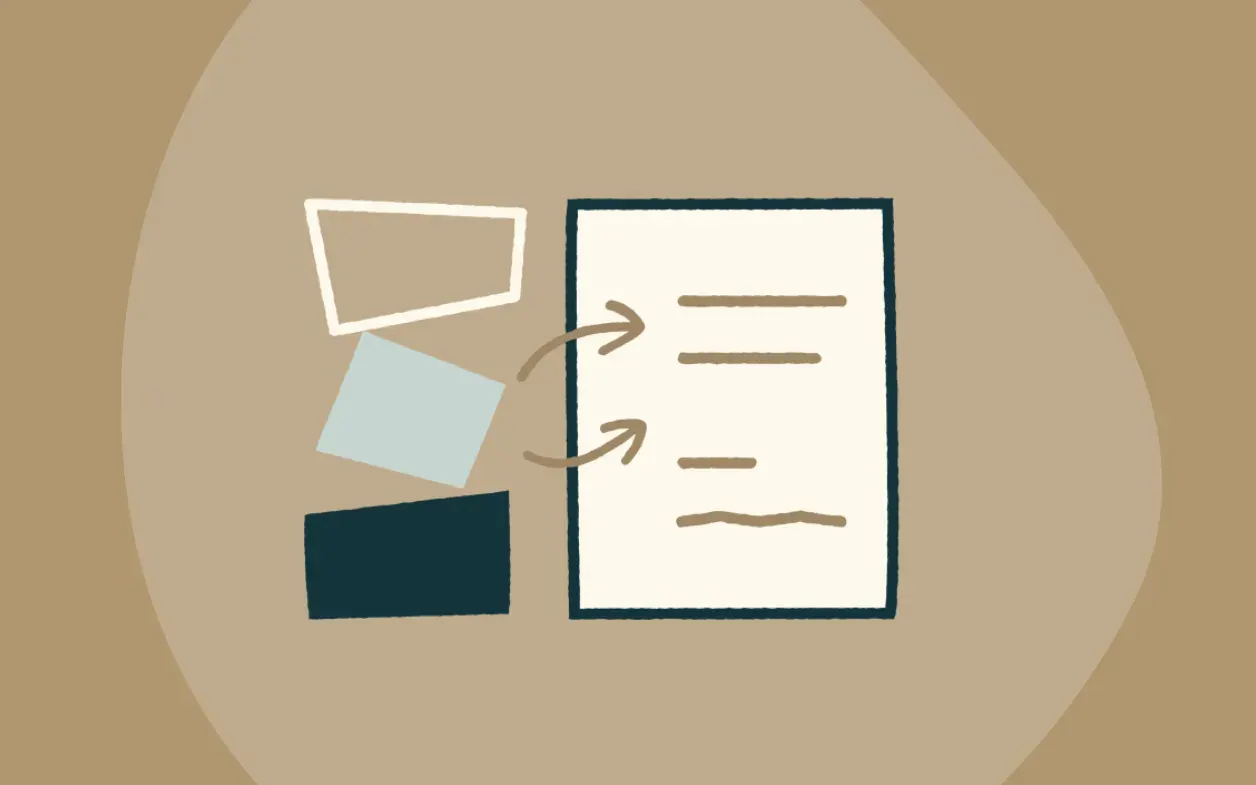
Step 4 – What happens after text recognition: Once text has been recognised, the OCR step is complete. From here, additional platform components extract and structure that information so it can be used by other systems. Extraction maps the recognised text to specific fields based on the document type's schema. The output may also be standardised through spelling correction, formatting cleanup or language checks. For example, the system may normalise dates, remove stray characters, standardise spacing or apply dictionary-based corrections.
These steps can improve usability, but they do not solve the bigger workflow challenge. Post-processing helps clean the output. It does not validate that the output is correct, complete or ready to use in a business process.
This is why OCR software can look effective in a demo. It turns an image into text. But turning an image into text is not the same as turning a document into trustworthy, usable business data.
Pure OCR on its own cannot:
- understand what recognised text means in context
- validate recognised text as outputs against business rules
- ground recognised values back to the source
- decide whether a document should continue through a workflow
- route exceptions for human review
These limitations are why many businesses move beyond OCR software toward broader AI document processing.
Why businesses adopt OCR technology
OCR adoption rarely starts as a nice-to-have initiative. It usually starts when the current way of handling documents cannot keep up.
If that sounds familiar, you’re not alone. OCR technology is often the first solution teams explore when they begin trying to automate document-heavy workflows because it tackles the most immediate bottleneck – getting information out of unstructured files and into machine-readable text – one of the first steps before downstream systems and technologies can work with it.
Manual data entry is too slow
Copying information from scans and PDFs by hand consumes time, creates delays and pulls employees into repetitive low-value work. OCR technology can help speed up the process.
Document data is hard to access
Without OCR, information inside images and image-only PDFs is difficult to search, index or analyse. That is why OCR technology is often an effective step in document automation – it makes previously inaccessible information easier to capture, search and move through document workflows by recognising it as machine-readable text.
Error rates increase as volume rises
Manual data entry introduces mistakes that can affect downstream workflows, reporting and decisions. A single error can impact downstream systems and compounds over time. While OCR technology alone does not guarantee that machine-readable text is accurate or correctly interpreted, it can reduce the volume of manual rekeying that introduces those errors.
Digitisation is a business priority
OCR tech is often introduced as part of a broader digitisation effort, where paper-based or image-based processes need to become digital and scalable.
Teams need to move faster without adding headcount
As document volumes increase, OCR solutions – when combined with AI document processing – can help reduce the operational load associated with basic capture and text conversion.
What ‘good’ looks like in OCR software
If you’re searching for the best OCR software, it’s easy to get overwhelmed by feature lists that all sound similar. The truth is, most OCR technology can recognise text. The difference is whether that technology is part of a larger platform that can extract what you need consistently and in a form your workflow can actually use.
It handles layout variability
Real-world documents, such as invoices, bank statements, delivery notes, identity documents and loan contracts do not follow one neat template. They arrive in different formats, structures and scan qualities. A good document automation solution that uses OCR should handle this variability without breaking down as soon as the layout changes.
It supports the use case you actually have
Some OCR apps are fine for simple text recognition. Others are better suited to digitisation or structured extraction via an API. The right document automation solution that uses OCR depends on whether your goal is recognition, searchability, extraction or end-to-end workflow automation.
For example, if your goal is simply to make scanned documents searchable or convert image-based files into editable text, a lightweight OCR tool with some DIY enhancements to recognise that text may be enough. But if you need to extract specific fields, interpret document structure, validate outputs or move trusted data into downstream systems consistently, OCR apps are not sufficient.
It’s often at this point that teams realise they’re not just buying OCR technology but they’re actually trying to solve a broader document workflow problem. In those cases, the better fit is often a platform that combines OCR with document understanding, validation and workflow automation, rather than OCR on its own.
It reduces rework, not just typing
A weak OCR tool does not remove effort – it just shifts it into manual cleanup and correction. When OCR is part of a broader document processing workflow, it should contribute to reducing the total amount of manual handling, not simply moving it. If your team still has to review, fix and re-enter large portions of the output, the workflow is not really automated in any meaningful sense.
It integrates with downstream workflows
If the recognised text cannot move cleanly into the systems and processes your team already uses, the value is limited. This is where broader document workflow automation becomes important. The more manual exporting, reformatting and handoffs required after OCR, the less operational value the solution is actually delivering.
It is part of a bigger workflow strategy
Increasingly, businesses are discovering that the best OCR software is not the one with the flashiest recognition demo. It’s the one that fits into a governed automation workflow that can actually hold up in production. In practice, that means thinking beyond recognition accuracy alone and evaluating how the tool supports trust, control and consistency across the full document process.
Pricing is understandable
OCR software can look affordable at first, but pricing models are not always easy to compare. Some vendors charge per page, some per document and others add costs for higher volumes, additional features or API usage. Transparent pricing matters because it affects your ability to forecast ROI, control costs and scale usage with confidence as document volumes grow.
OCR in practice: API, app and online tools
You can start exploring OCR through APIs, apps and online tools. However, each path comes with tradeoffs.
OCR API
An OCR API is often the starting point when teams want to access recognised text programmatically as part of a custom workflow. APIs provide flexibility, but structuring that text into usable fields, along with validation, exception handling and downstream integration is separate to OCR.
OCR apps or browser workflow
An OCR app – typically a web-based or desktop tool with a visual interface –can be useful for non-technical teams that want to upload documents and get recognised text. But if the workflow ends with a manual export and more manual checking, the value is limited.
OCR character recognition online
Lightweight online OCR tools can be helpful for one-off text recognition or experimentation. But they are rarely enough for high-volume or high-stakes business workflows where trust, control and auditability matter.
This is why many teams eventually realise that OCR implementation choices are less important than the broader question: what happens after text has been recognised?
OCR and AI: what changed
Many people still ask questions like “is OCR artificial intelligence?”, “is OCR considered AI?” and “is OCR AI?”
The answer is that OCR and AI are related, but they’re not the same thing.
Traditional OCR technology focused on recognising text. More advanced forms of OCR began incorporating machine learning and deep learning to improve text recognition across varied document types, messy scans and complex layouts.
This is where terms like these started becoming more common:
- OCR and AI
- OCR and machine learning
- machine learning for OCR
- AI OCR
- OCR AI
- artificial intelligence OCR
That evolution mattered because it made OCR more flexible and more accurate at recognising text across diverse inputs. But it still did not fully solve the bigger workflow problem.
Even AI OCR software is still primarily focused on text recognition. Structuring that text into usable fields and validating it for downstream use requires capabilities beyond OCR.
Where OCR-only approaches break down
Many businesses start with a simple idea: OCR handles the text, then the rest of the workflow can take it from there. But that’s not quite true. OCR doesn’t extract or structure text – it only recognises it. It’s one step in a broader document automation workflow that processes, extracts, validates and delivers decision-ready data from your documents.
In practice, OCR-only approaches break down in predictable places.
OCR does not understand context
OCR can recognise that text exists on a page, but it does not reliably understand what that text means in context. It may recognise text that happens to be a date, amount or reference number correctly at a character level. But OCR alone has no reliable way of determining what role that text plays in the document or whether it has been interpreted correctly.
This becomes a real problem when labels are inconsistent, layouts vary or the same type of information appears in multiple places on the page. In those situations, text recognition alone is not enough to produce data a business can confidently use.
Recognition does not equal trust
Even if the text is recognised correctly, that does not mean it is ready to use. It may still need validation, transformation or review before it can safely move downstream and be acted on by your team.
This is the gap many teams underestimate when they first invest in OCR technology. Recognised text can look clean on screen, but unless it has been checked against business rules, source context or system logic, it’s still only a partial step toward automation.
Manual work returns through exception handling
Without strong validation and controlled review paths, teams often end up manually checking OCR software outputs anyway. That is where many OCR projects lose momentum.
Instead of removing effort, the workflow simply changes shape – less typing at the front end, but more checking, correcting and exception handling afterward. Over time, that can reduce trust in the system and make automation feel harder to scale rather than easier.
The gap between text and decisions remains
OCR gives you machine-readable text. It does not, on its own, give you decision-ready data. That means OCR can support digitisation, but it does not solve the broader challenge of making document outputs reliable enough for real business processes.
That gap is exactly why OCR is foundational but insufficient on its own – the workflow must also validate, ground and govern the output before it can be trusted in production.
From OCR to AI OCR to AI document processing: the evolution
OCR is foundational. AI-enhanced OCR is more capable. But most businesses need something that combines extraction, validation and workflow automation in one system.
That is where intelligent document processing first expanded the model – and where AI document processing now takes it further.
Instead of treating document processing as ‘extract text and pass it on’, AI document processing treats it as a controlled, end-to-end workflow:
- ingest documents
- split and classify files
- extract fields and tables
- ground outputs to source
- transform and enrich data
- validate against business rules and systems of record
- route failed validations for human review
- deliver structured outputs downstream
This is the shift from OCR as a task to document processing as a controlled system.
Why AI document processing is what businesses actually need
If OCR is about converting documents into machine-readable text, AI document processing is about converting documents into outcomes your workflow can trust and act on.
It is built for messy real-world documents
Documents vary in layout, structure and quality. AI document processing is designed to handle that variability while still producing reliable outputs – because it combines OCR with document understanding, context selection and extraction models, not just one method working in isolation.
The more variation your workflow has to handle, the more important it becomes to use a system that can adapt without constant manual intervention or template maintenance.
It grounds outputs back to the source
In high-stakes workflows, users need to see where a value came from on the page. Grounded outputs make automation more reviewable, auditable and defensible. This is especially important when teams need to verify results quickly or explain how a decision was made. If a value cannot be traced back to the source document, trust in the workflow erodes quickly.
It validates against business logic
Recognition of text and extraction are not enough. AI document processing checks outputs against business rules and systems of record before they move forward. This helps ensure the workflow is not just fast, but also controlled. In practice, validation is what turns extracted information into something the business can actually rely on.
It supports human review when validation rules fail
Human review should be used where it adds value – when validation fails or a configured process requires it – not as a generic workaround for uncertain extraction. That creates a more efficient operating model because people are focused on meaningful exceptions rather than checking everything by default. It also makes the workflow easier to scale without sacrificing control.
It delivers decision-ready data
The end goal is not text. It is trusted, structured output that can move directly into downstream systems and decisions. That is the real difference between basic extraction and production-ready automation. Businesses do not just need documents read – they need outputs that are usable, defensible and ready to drive action.
How to choose the right document automation solution: a practical decision framework
If you’re deciding what to implement, it helps to start with your real goal.
- If your goal is making scanned or image-based documents searchable: Start with OCR technology.
- If your goal is recognising text for one part of a workflow: An OCR API may be enough. If you also need structured field extraction, an AI document processing solution is a better fit.
- If your goal is automating a workflow you can trust at scale: You need more than OCR. You need grounding, validation, exception handling and structured delivery into downstream systems.
A useful internal test is this: can you trust the output enough to automate what comes next? If the honest answer is “sometimes”, then your challenge is no longer just OCR technology. It is workflow trust, control and production readiness.
That is where AI document processing becomes the better fit.
OCR is useful, AI document processing is decisive
OCR technology is a strong starting point for teams that want to create a machine-readable text layer from scans, PDFs and images – the first step toward reducing manual data entry and unlocking information trapped inside documents.
But if your goal is reliable document automation at scale, OCR alone is not enough.
You need a system that can handle messy real-world documents, validate outputs against business rules, ground every value back to the source, route exceptions for human review and deliver decision-ready data into downstream systems. That is why AI document processing is the better long-term answer. It is built for document workflows, not just text extraction.
Affinda Platform turns documents into decision-ready data by managing the full document processing workflow. Frontier AI models power the extraction, but reliable output comes from controlling how documents are read, how context is selected and how every answer is grounded to source. The platform combines OCR, pre-processing, splitting, classification, field-level extraction, document understanding, validation and workflow automation – with Model Memory so accuracy improves from every correction, and AI Integrations Agent to connect structured outputs directly into your downstream systems.
Ready to move beyond text recognition? Start your free trial and turn your real documents into validated, structured data you can trust.