Automate document processing into Infor


Get data from your documents into Infor

Invoices
Automatically extract supplier invoice data into Infor to create AP entries, match to purchase orders, validate line items and totals, and route for approval based on your existing workflows.
Purchase orders and confirmations
Capture purchase order data - PO numbers, line items, quantities and delivery dates - and automatically update Infor CloudSuite to trigger procurement workflows, improving order tracking and speeding up your entire procurement cycle.
Shipping documents
Extract shipment IDs, carrier details and delivery dates from bills of lading and delivery notes to update Infor SunSystems logistics modules automatically - improving supply chain visibility and reducing disputes.
Quality certificates
Pull batch numbers, test results and expiry dates from certificates of analysis and compliance documents to link automatically with inventory records in Infor ERP - ensuring compliance, supporting product recalls and improving traceability across your supply chain.
How to automate document processing into Infor
Automatically send your documents to Affinda
AI agents extract and validate key data fields
See your data appear in Infor
Extract any information from any document, fast
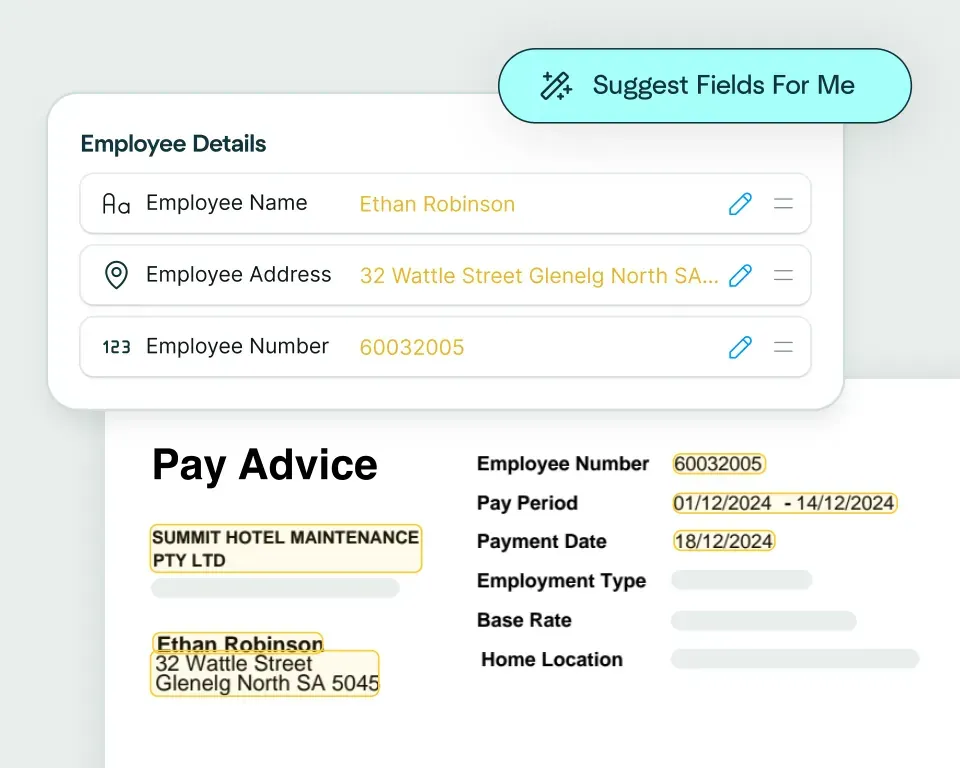
Create models in seconds
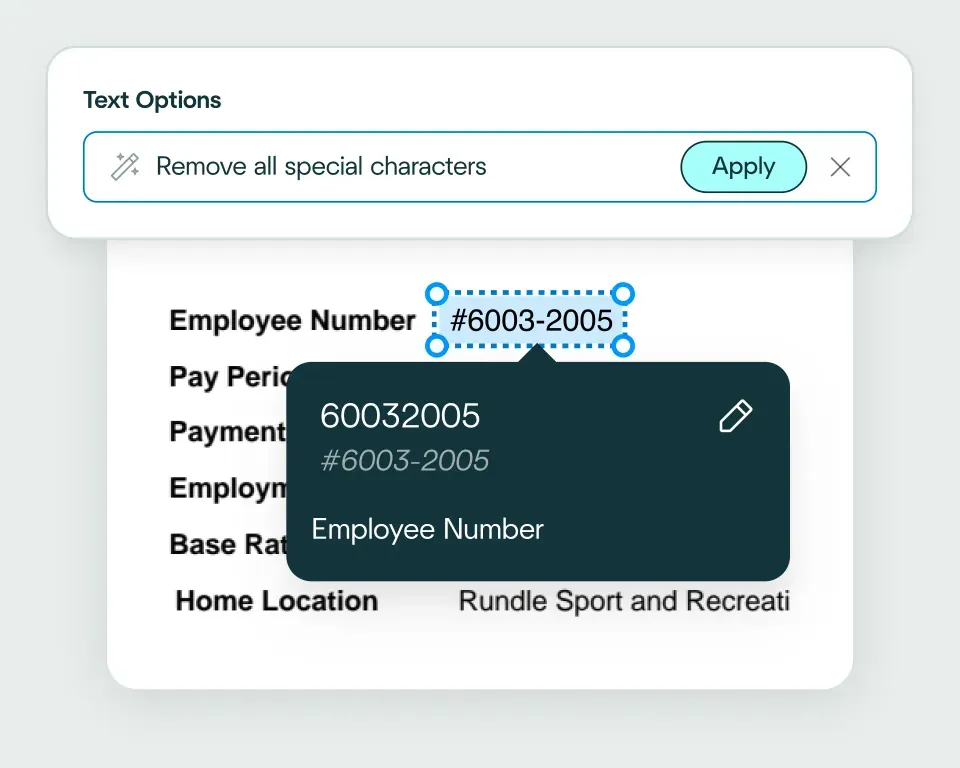
Validate and transform data
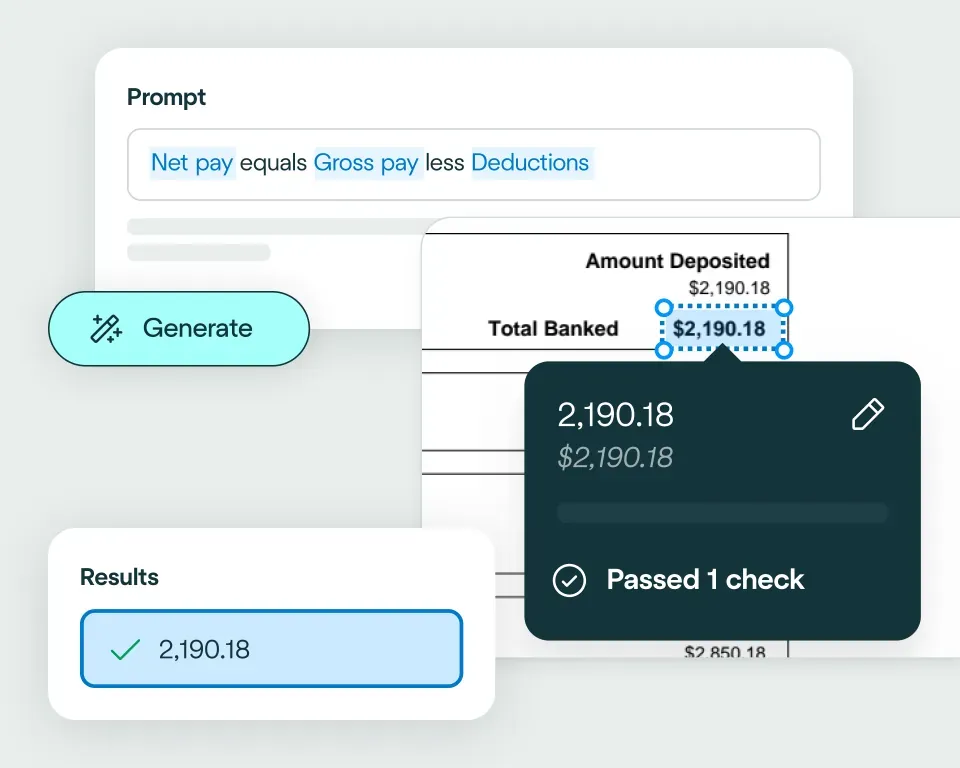
Apply your business logic
Pathway 1: Use the Agent
Pathway 2: Write your own code
No need to talk to sales. Get started now
Sign up for free
Set up your integration
Start processing


reduction in manual work
more invoices processed with no added staff
Enhanced auditability and tracking of invoice approvals


proof of delivery documents processed annually
of documents straight-through processed in the first weeks
Automatic validation of documents against ERP system


High accuracy parsing across multiple languages
Improved customer experience thanks to better structured data
Stronger compliance with international data security and software standards


documents processed annually
different document types
time saved in reviewing invoices


reduction in manual data input
reduction in compliance data errors
compliance documents processed annually
Combine the best of artificial and human intelligence

Frequently asked questions
Does Affinda integrate with Infor?
Yes. Affinda's integration with Infor connects your document processing directly to your ERP workflows across M3, LN, CloudSuite Industrial and SunSystems. It automatically extracts, validates and syncs data from invoices, purchase orders, shipping documents and quality certificates straight into your Infor system.With Affinda, you can process supplier invoices faster, update procurement records automatically and maintain complete visibility across your supply chain - all through a single, connected workflow.
How does the Affinda-Infor integration work?
Affinda's intelligent document processing reads any document from any source (email, upload or API) and instantly extracts structured data such as supplier details, PO references, line items, batch numbers and delivery dates.
Once validated, this data is automatically pushed to your Infor system - creating AP entries in M3 or LN, updating procurement records in CloudSuite Industrial, or syncing logistics data in SunSystems. Common document types include invoices and purchase orders, ready for immediate processing.
You can also configure custom rules, such as auto-matching invoices to POs, routing exceptions for manual review or linking quality certificates to inventory records.
What types of documents can Affinda process and send to Infor?
Affinda can extract data from any document type and send it to Infor, including:
- Supplier invoices and credit notes
- Purchase orders and order confirmations
- Bills of lading and delivery notes
- Quality certificates and certificates of analysis
- Timesheets and expense documents
It handles both digital and scanned documents with advanced OCR and AI-powered parsing, achieving more than 99% accuracy across different formats and layouts.
Do I need to manually upload files to Infor?
No. Affinda fully automates document ingestion through our APIs. You have three flexible options for getting documents to Affinda:
- Upload documents directly to your Affinda workspace
- Forward documents by email manually or configure automatic email forwarding
- Integrate via API or connect your cloud storage provider
Once received, Affinda automatically extracts and validates the data, then sends it directly to your Infor system - whether that's M3, LN, CloudSuite Industrial or SunSystems - ready for processing.
Can I define my own validation and business rules?
Yes. Affinda lets you define custom validation rules and business logic using natural language before any data reaches Infor.
For example, you can configure rules to:
- Auto-match invoices to PO references in M3 or LN
- Validate batch numbers against inventory records
- Flag duplicate supplier invoices
- Check delivery dates against expected schedules
These checks ensure your data in Infor is accurate, compliant and ready for immediate processing.
Can Affinda handle bulk supplier invoice uploads for Infor?
Yes. Affinda's platform is built for scale. Whether you process 20 supplier invoices a month or 20,000 a week, Affinda supports bulk uploads and straight-through automation into any Infor system - M3, LN, CloudSuite Industrial or SunSystems.
This makes it ideal for manufacturing, distribution and enterprise finance teams managing high volumes of supplier documents across complex supply chains.
How fast can I get started with the Infor (M3, LN, CloudSuite Industrial, SunSystems) integration?
You can start processing documents into Infor in under an hour. Affinda's flexible integration lets you:
- Connect to your Infor system via API
- Map extracted document fields to your Infor entities and workflows
- Begin automating supplier invoices, purchase orders and shipping documents immediately
For organizations needing deeper customization, Affinda offers full API access and dedicated support to tailor the integration to your specific ERP configuration and business requirements.
Is my financial data secure when using Affinda with Infor?
Absolutely. Affinda follows security standards including ISO 27001:2022, SOC 2 and GDPR for security and compliance. Data is encrypted in transit and at rest, with strict role-based access controls and full audit logging. You can also select region-specific data storage to meet your organization's compliance and data residency requirements.
What are the main benefits of integrating Affinda with Infor?
By integrating Affinda with Infor, you can:
- Remove manual data entry and reduce errors across AP, procurement and logistics
- Speed up invoice processing, purchase order tracking and month-end close
- Improve supply chain visibility with automated shipping document capture
- Ensure compliance and traceability with quality certificate automation
- Scale seamlessly across M3, LN, CloudSuite Industrial and SunSystems