Convert documents to Excel or CSV files for free
Convert documents to Excel or CSV files for free
From raw document to structured data
From raw document to structured data
Sample document output
Sample document output
- Document identifiers and dates
- Names, addresses and financial fields
- Custom fields described in natural language
| Field | Value | Location | Status |
|---|---|---|---|
| Document type | Service agreement | Page 1 | Ready |
| Reference no. | SA-20481 | Page 1 | Ready |
| Effective date | 2026-05-01 | Page 2 | Review |
Use the same setup for the messy production version
Use the same setup for the messy production version
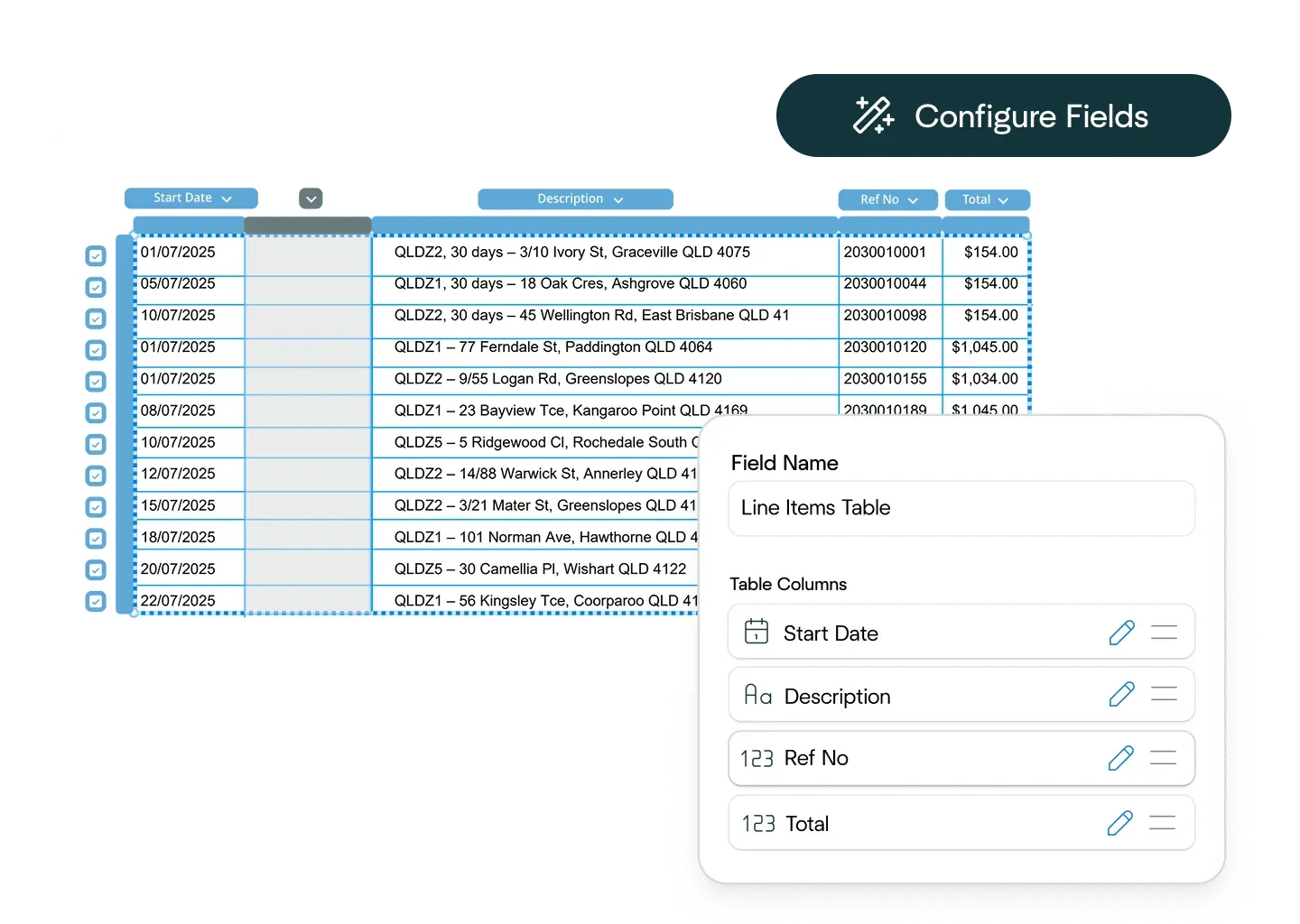
Ask the Affinda Agent to configure the workflow
Ask the Affinda Agent to configure the workflow
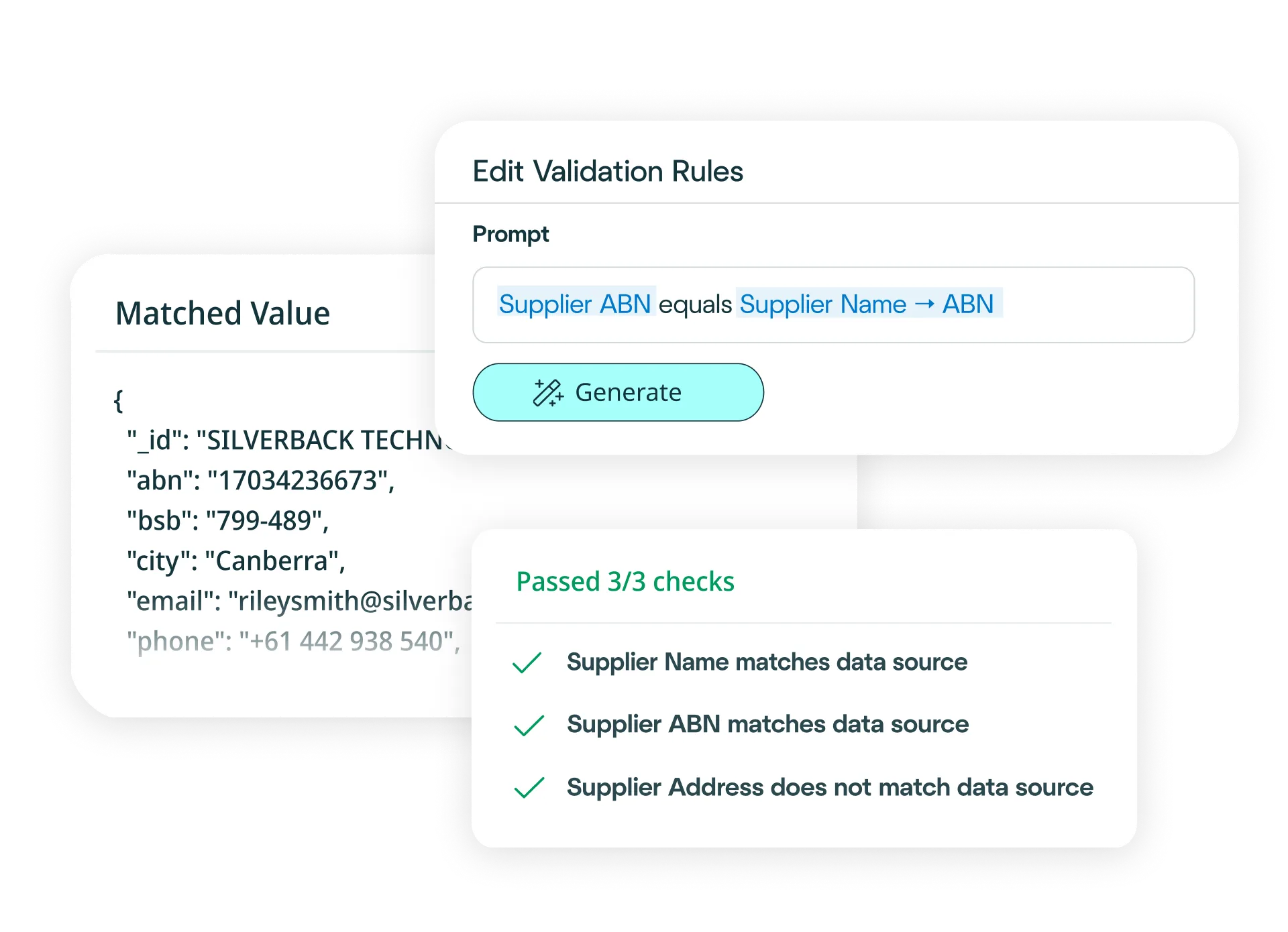
Scans, tables, handwriting, mixed layouts and review flags
Scans, tables, handwriting, mixed layouts and review flags

Try another free converter
Try another free converter
Frequently asked questions about document conversion
How do I convert documents to Excel?
Simply upload your document to our free tool at the top of this page, and watch as it converts your document to an Excel file. The platform reads, extracts, validates and exports your document data before converting it into an Excel file in moments.
Need to convert documents to Excel at scale? Try our platform for free - it's fast to set up and integrates easily with your existing business systems.
With our platform, you can:
- Upload your documents via drag-and-drop, email or API (single or bulk).
- Define your schema (or let the AI predict fields) and choose Excel output.
- Apply business rules (e.g., flag missing data, validate formats or check for duplicates).
- Validate automatically against your business logic and system requirements.
- Export clean Excel files, or push the data straight into your systems.
Result: clean, reliable document conversion to Excel in minutes - no manual re-keying required.
How do I convert documents to CSV files?
Simply upload your document to our free tool at the top of this page, and watch as it converts your document to a CSV file. The platform reads, extracts, validates and exports your document data before converting it into a CSV file in moments.
Need to convert documents to CSV files at scale? Try our platform for free - it's fast to set up and integrates easily with your existing business systems.
With our platform, you can:
- Upload your documents via drag-and-drop, email or API (single or bulk).
- Define your schema (or let the AI predict fields) and choose CSV file output.
- Apply business rules (e.g., validate required fields, check data formats or identify inconsistencies).
- Validate automatically against your business logic and downstream system requirements.
- Export clean CSV files, or push the data straight into your systems.
Result: clean, reliable document conversion to CSV files in minutes - no manual re-keying required.
How accurate is the conversion from documents to Excel or CSV files?
The conversion of documents to Excel or CSV is powered by our platform's data extraction capability, which is 99%+ accurate. After extraction, we convert your data to Excel or CSV automatically and seamlessly. For the small number of documents that may need review, built-in signals alert you and once your team has validated them, your data is converted immediately.
Can I define custom Excel or CSV formats?
Yes. Configure your output fields, data types and column order through our platform interface, or simply describe what you need in natural language. Affinda will generate the exact Excel or CSV structure your downstream systems require.
How quickly can I create a document conversion model?
In minutes. Upload a sample document and the AI instantly predicts which fields to extract. Refine with a few clicks if needed. The model learns from every decision, improving accuracy over time and enabling straight-through processing when you're ready to convert documents to Excel or CSV at scale.
What data fields can Affinda's AI extract from documents?
Affinda can extract any field from any document type. Common fields include:
Document identifiers
- Document Type / Category
- Document Number / Reference ID
- Issue Date / Effective Date / Expiry Date
- Version Number / Revision Date
- Page Number / Total Pages
Entity and contact information
- Individual Names / Organization Names
- Addresses (billing, shipping, registered)
- Contact Details (phone, email, fax)
- Tax IDs / Registration Numbers
- Job Titles / Roles
Financial and transactional data
- Line Item Descriptions
- Quantities / Units of Measure
- Unit Prices / Extended Amounts
- Subtotals / Tax Amounts / Total Due
- Currency / Exchange Rates
- Payment Terms / Due Dates
Complex structures
- Multi-page tables with nested rows
- Form fields, checkboxes and radio buttons
- Handwritten notes and annotations
- Stamps, seals and signatures
- Attachments and embedded documents
- Mixed-language content
Need something specific? Define custom fields in the UI or describe what you need in natural language. Affinda adapts its schema to match your document class and extracts exactly what matters to your workflow.
What file types does Affinda's document converter support?
Affinda handles all standard file formats, including:
- JPG / JPEG
- PNG
- TIFF
- DOC / DOCX
- XLSX
- HTML
- TXT / CSV
Whether your documents are native digital files or scanned images, Affinda converts them to Excel or CSV with clean, structured data ready for your systems.
Can Affinda extract data from scanned, low-quality or image-based document?
Yes. We combine advanced OCR with retrieval-augmented generation (RAG), LLMs, agentic workflows and proprietary reading-order algorithms to accurately extract data from scanned documents, photos and poor-quality images. Affinda also enhances low-resolution files to improve recognition, helping you convert even challenging documents to Excel or CSV files with confidence.
What languages and currencies are supported?
Affinda automatically detects and processes documents in 50+ languages and any currency, including multi-currency transactions. Mixed-language documents are handled seamlessly and currency symbols or codes are preserved or normalized based on your export settings when you convert documents to Excel or CSV files.
Supported languages include: Afrikaans, Albanian, Amharic, Arabic (Standard, Egyptian, Sudanese, Algerian, Moroccan, Levantine), Bahasa Indonesian, Bengali, Bhojpuri, Bulgarian, Burmese, Chinese (Mandarin [PRC/Taiwan]), Cantonese (Wu, Min Nan, Jinyu, Xiang, Hakka), Croatian, Czech, Danish, Dutch, English, Estonian, Finnish, French, German, Greek, Gujarati, Hebrew, Hindi, Hungarian, Italian, Japanese, Javanese, Kannada, Korean, Latvian, Lingala, Lithuanian, Macedonian, Malayalam, Marathi, Nepali, Norwegian, Odia, Persian (Farsi), Polish, Portuguese, Punjabi (Western and Eastern), Romanian, Russian, Slovak, Slovenian, Somali, Spanish, Swahili, Tagalog, Tamil, Telugu, Thai, Turkish, Ukrainian, Urdu, Vietnamese, Yoruba.
Does Affinda integrate with ERP, CRM, HRIS and other business systems?
Yes. Affinda connects to ERP, CRM, HRIS, AP automation, procurement, legal tech, document management and claims systems. Use the Agent to choose from 400+ systems and build no-code workflows, or integrate via APIs and client libraries. Convert documents to Excel or CSV, validate and push data straight into your systems.
Can I convert thousands of documents to Excel or CSV files?
Yes. Use the free tool at the top of this page for one-off conversions or, to process hundreds at once, sign up for a free trial.
To convert thousands of documents to Excel or CSV at scale - and enable straight-through processing directly into your business systems - our platform is built for that level of automation. You can try it out and process your first 200 documents for free with the trial.
What are examples of document conversion workflow automations?
Document conversion to Excel and CSV powers workflow automation across every business function, including:
Finance and accounting
- Automate invoice processing and accounts payable by extracting vendor details, line items, amounts and payment terms from any invoice format.
- Apply validation rules to catch duplicates, flag missing purchase orders and verify totals before pushing structured data directly into your ERP or AP automation system.
Operations and procurement
- Speed up purchase order processing by automatically capturing supplier information, product codes, quantities and pricing from incoming documents.
- Convert documents to CSV files that feed directly into your procurement platform, reducing manual entry and improving order accuracy.
HR and people operations
- Streamline employee onboarding by extracting personal details, tax information and employment history from application forms and supporting documents.
- Validate required fields, check data formats and push clean Excel files straight into your HRIS - cutting onboarding time and improving the new hire experience.
Is my data secure?
Yes. Affinda is built with enterprise-grade security at its core. We’re ISO 27001:2022 certified and SOC 2 Type 2 and GDPR compliant, ensuring your documents and data are protected throughout the conversion process. Access controls are role-based, processing is fully auditable and data exports are tightly managed.
If you'd like to learn more about our security practices, you can get in touch to discuss compliance requirements, deployment options and data residency aligned with your organization’s needs.
What is document conversion?
Document conversion is the process of transforming any document (PDF, image or digital file) into structured, machine-readable data such as Excel (XLSX) or CSV. Affinda's AI platform automates the entire workflow, from file intake to extraction, validation and export, so you can convert documents to Excel or CSV files in minutes with 99%+ accuracy. The result is clean, structured data ready for analysis, reconciliation or integration with your business systems.
What is document data extraction?
Document data extraction reads any document and identifies key information (identifiers, dates, amounts, addresses, line items and more), then structures it into clean, usable formats.
Affinda's AI transforms unstructured documents into Excel or CSV files that integrate seamlessly with your ERP, CRM, HRIS or other business systems. Our platform combines reading-order models, OCR, LLMs, RAG and agentic workflows to extract data from any document type, format or language with 99%+ accuracy and rapid processing speeds - perfect for both single conversions and high-volume automation.
Field extraction captures everything from simple key-value pairs to complex nested tables, preserving relationships and context. Our AI understands document layout and structure, delivering clean, ready-to-use Excel or CSV files that slot straight into your workflows.