Convert tables to Excel or CSV files for free
From raw table to structured data
Sample table output
- Headers, row labels and footnotes
- Nested or multi-page table rows
- Checks for missing cells and total mismatches
| Row | Item | Quantity | Unit cost | Total |
|---|---|---|---|---|
| 1 | Packaging labels | 1,200 | 0.18 | 216.00 |
| 2 | Cartons | 320 | 1.45 | 464.00 |
| 3 | Handling fee | 1 | 85.00 | 85.00 |
Use the same setup for the messy production version
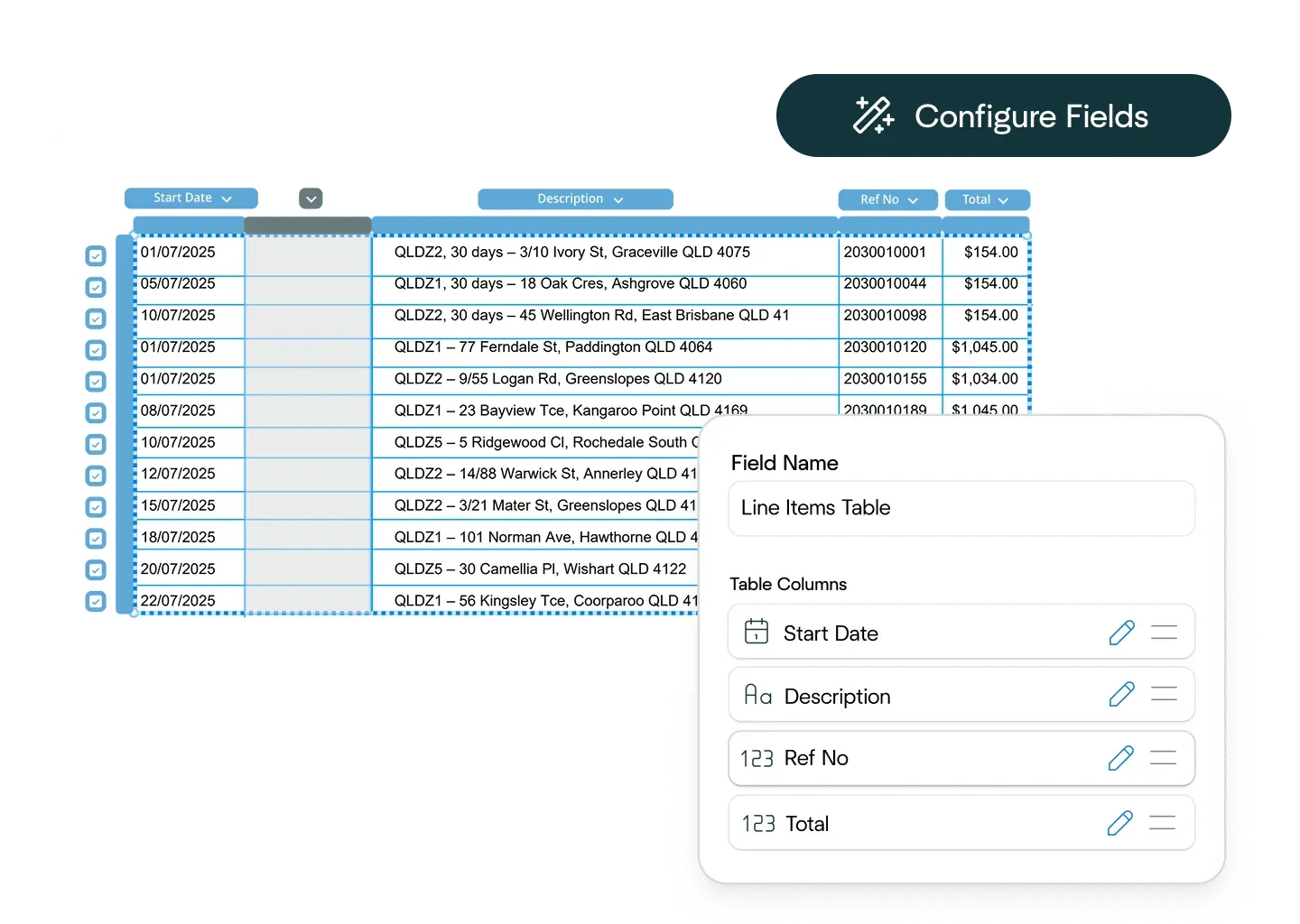
Ask the Affinda Agent to configure the workflow
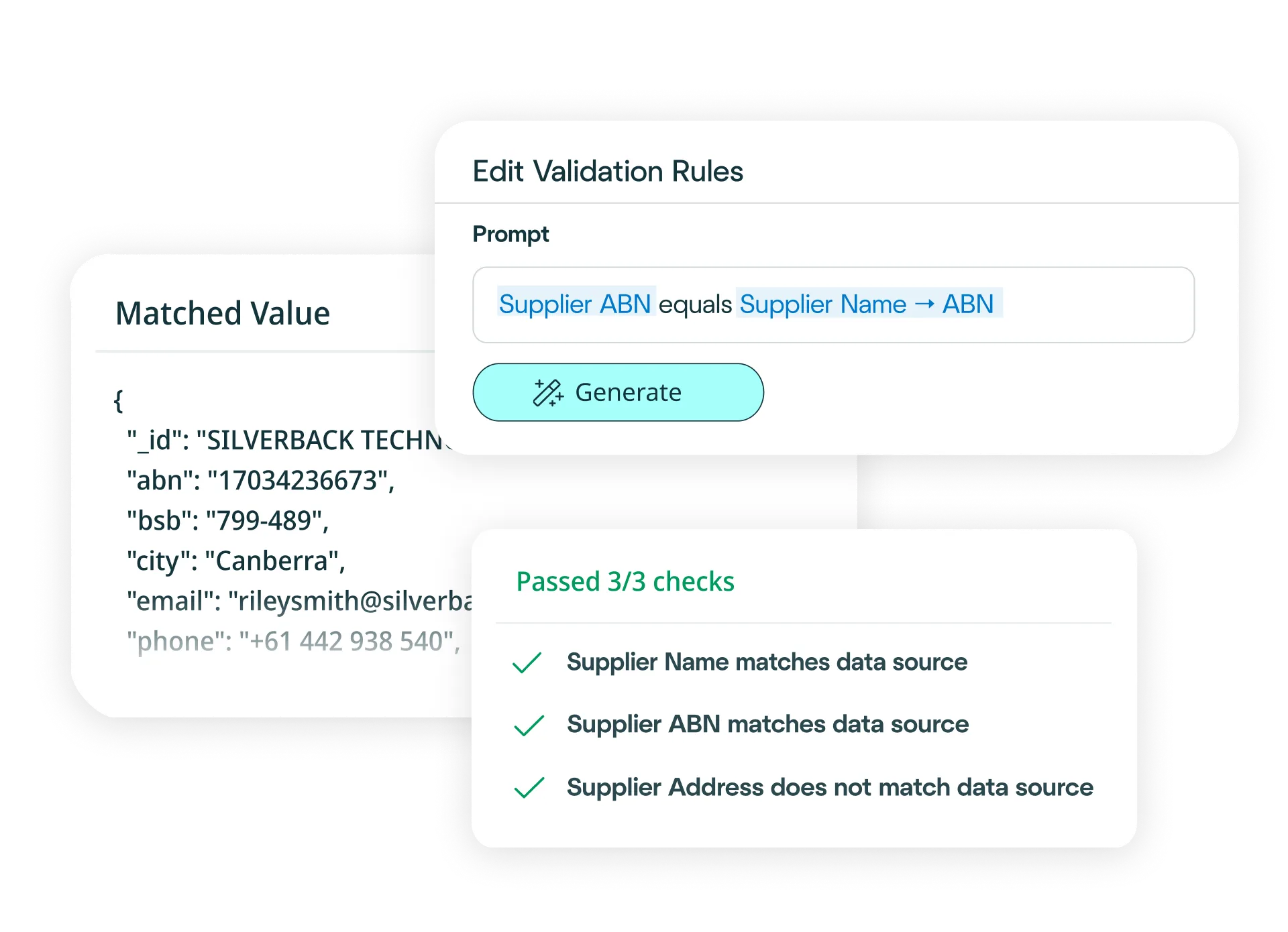
Scans, tables, handwriting, mixed layouts and review flags

Try another free converter
Frequently asked questions about table conversion
How do I convert tables to Excel?
Simply upload your table to our free tool at the top of this page, and it will convert your table into an Excel file. The platform detects table structures, extracts rows and columns with cell-level precision, and exports your table as a clean Excel file in moments.
Need to convert tables to Excel at scale? Try our platform for free - it's fast to set up and integrates easily with your business systems.
With our platform, you can:
- Upload your tables via drag-and-drop, email or API (single or bulk).
- Define your schema (or let the AI predict fields) and choose Excel output.
- Handle complex structures such as merged cells, multi-page tables, nested tables and irregular layouts.
- Apply business rules (e.g., flag missing values, validate totals or check for duplicates).
- Export clean Excel files or push the data directly into your systems.
Result: clean, reliable table conversion to Excel with no manual re-keying required.
How do I convert tables to CSV files?
Simply upload your table to our free tool at the top of this page, and it converts your table to a CSV file. The platform detects table structures, extracts data with cell-level precision, and exports a clean CSV file in moments.
Need to convert tables to CSV files at scale? Try our platform for free - it integrates with your downstream systems. With our platform, you can:
- Upload your tables via drag-and-drop, email or API (single or bulk).
- Define your schema (or let the AI predict fields) and choose CSV output.
- Handle complex structures like multi-page tables, nested tables, merged cells and variable column layouts.
- Apply business rules (e.g., validate row totals, flag incomplete entries or check for consistency).
- Export clean CSV files or send the data directly into your systems.
Result: clean, reliable table conversion to CSV with no manual re-keying required.
How accurate is the conversion from tables to Excel or CSV files?
The conversion is powered by extraction models that achieve 99%+ accuracy, even with merged cells, multi-page tables or irregular layouts. After extraction, your data is converted to Excel or CSV automatically. For rare cases requiring review, built-in signals alert you, and once approved, the data is converted instantly.
Can I define custom Excel or CSV formats?
Yes. You can configure field names, data types and column order using the interface, or describe your format in natural language. Affinda then generates the exact Excel or CSV structure your systems require.
How quickly can I create a table conversion model?
In minutes. Upload a sample table and the AI predicts the structure: headers, rows, columns and data fields. You can refine with a few clicks, and the model learns continuously to enable straight-through processing.
What data fields can Affinda's AI extract from tables?
Affinda can extract any field. Common examples include:
Table structure
- Table headers / column names
- Row numbers / labels
- Section headers / subheadings
- Table title / caption
- Footnotes / annotations
Cell data
- Descriptions / item names
- Quantities / units of measure
- Amounts / values / prices
- Totals / subtotals / grand totals
- Reference numbers / item codes / SKUs
- Dates / periods
- Percentages / rates
- Attributes / categories / classifications
- Status indicators / flags
- Notes / comments / remarks
Other fields
- Page number (for multi-page tables)
- Document reference / ID
- Currency / units
- Merged cell content
- Nested table data
Need custom fields or layouts? Define them in the UI or describe them in natural language and the platform extracts and converts automatically.
What file types does Affinda's tables converter support?
Affinda handles all standard file formats, including:
- JPG / JPEG
- PNG
- TIFF
- DOC / DOCX
- XLSX
- HTML
- TXT / CSV
Whether digital or scanned, the system extracts structure and converts to Excel or CSV with clean, consistent formatting.
Can Affinda extract data from scanned, low-quality or image-based tables?
Yes. Advanced OCR, LLMs, agentic workflows and reading-order algorithms capture data accurately from low-quality images, scans or photos. Image enhancement improves recognition, allowing reliable conversion into Excel or CSV.
What languages and currencies are supported?
Affinda detects and processes tables in 50+ languages and any currency, including mixed-language documents. Currency symbols and codes are preserved or normalized according to your export settings.
Supported languages include: Afrikaans, Albanian, Amharic, Arabic (Standard, Egyptian, Sudanese, Algerian, Moroccan, Levantine), Bahasa Indonesian, Bengali, Bhojpuri, Bulgarian, Burmese, Chinese (Mandarin [PRC/Taiwan]), Cantonese (Wu, Min Nan, Jinyu, Xiang, Hakka), Croatian, Czech, Danish, Dutch, English, Estonian, Finnish, French, German, Greek, Gujarati, Hebrew, Hindi, Hungarian, Italian, Japanese, Javanese, Kannada, Korean, Latvian, Lingala, Lithuanian, Macedonian, Malayalam, Marathi, Nepali, Norwegian, Odia, Persian (Farsi), Polish, Portuguese, Punjabi (Western and Eastern), Romanian, Russian, Slovak, Slovenian, Somali, Spanish, Swahili, Tagalog, Tamil, Telugu, Thai, Turkish, Ukrainian, Urdu, Vietnamese, Yoruba.
Does Affinda integrate with ERP, BI, procurement and inventory systems?
Yes. You can choose from 400+ systems using the AI Integrations Agent, or connect via APIs and client libraries. You can also build workflows, such as converting tables to Excel, validating totals, and pushing data to your ERP.
Can I convert thousands of tables to Excel or CSV files?
Yes. The free tool at the top of this page works for single conversions. To process larger batches, sign up for a free trial.
To unlock bulk processing of thousands of tables plus straight-through processing, talk to us about our platform. You can try it out and convert your first 500 pages of tables for free with our free trial.
What are examples of table conversion workflow automations?
AI table processing supports automation across business functions such as:
- Finance and accounting: Extract line items, totals and references from financial documents, convert to Excel or CSV, and validate before sending to your ledger.
- Procurement and supply chain: Capture item data from supplier documents and convert to structured Excel files for ERP ingestion. Validate pricing and detect duplicates.
- Operations and logistics: Extract schedules, shipment logs, metrics and status tables, converting them to CSV for BI tools or data warehouses. Apply rules to flag incomplete or inconsistent records.
Is my data secure?
Yes. Affinda maintains enterprise-grade security standards. Our platform is ISO 27001:2022 certified and SOC 2 Type 2 and GDPR compliant, ensuring your table data is protected throughout the conversion process. Access is role-based, processing is audit-ready and exports are controlled. If you'd like to discuss security in more detail, you can reach out to us about compliance requirements, deployment options or data residency preferences.
What is table conversion?
Table conversion transforms tables from documents (PDF, image or digital files) into structured formats like Excel (XLSX) or CSV. The platform automates detection, structure extraction and data conversion with 99%+ accuracy.
What is table data extraction?
Table data extraction reads a table from any document and pulls out its structure and content: headers, rows, columns, cell values, totals and relationships. Affinda's AI converts unstructured tables into clean Excel or CSV formats that integrate directly with downstream systems.
The platform uses reading-order models, OCR, LLMs, RAG and agentic workflows to extract from any layout or language. Cell-level extraction captures descriptions, quantities, amounts, reference codes and merged or nested content while preserving structure.