Convert timesheets to Excel or CSV files for free
From raw timesheet to structured data
Sample timesheet output
- Employee and pay-period details
- Daily or weekly hour totals
- Approval and overtime review flags
| Employee | Date | Start | Finish | Hours | Status |
|---|---|---|---|---|---|
| R. Malik | 2026-04-08 | 08:30 | 16:30 | 7.5 | Approved |
| R. Malik | 2026-04-09 | 08:45 | 17:15 | 8.0 | Approved |
| R. Malik | 2026-04-10 | 09:00 | 15:00 | 5.5 | Review |
Use the same setup for the messy production version
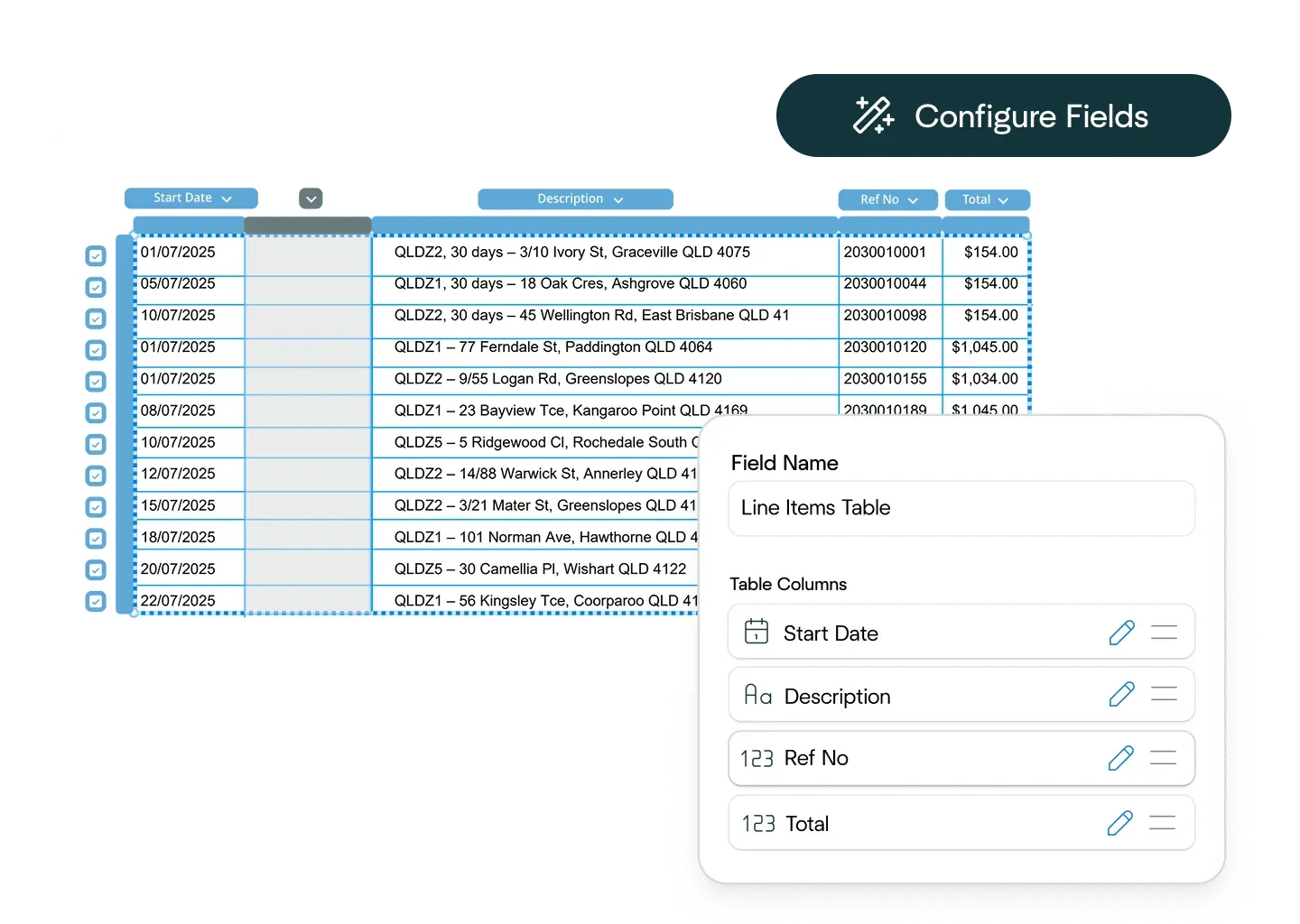
Ask the Affinda Agent to configure the workflow
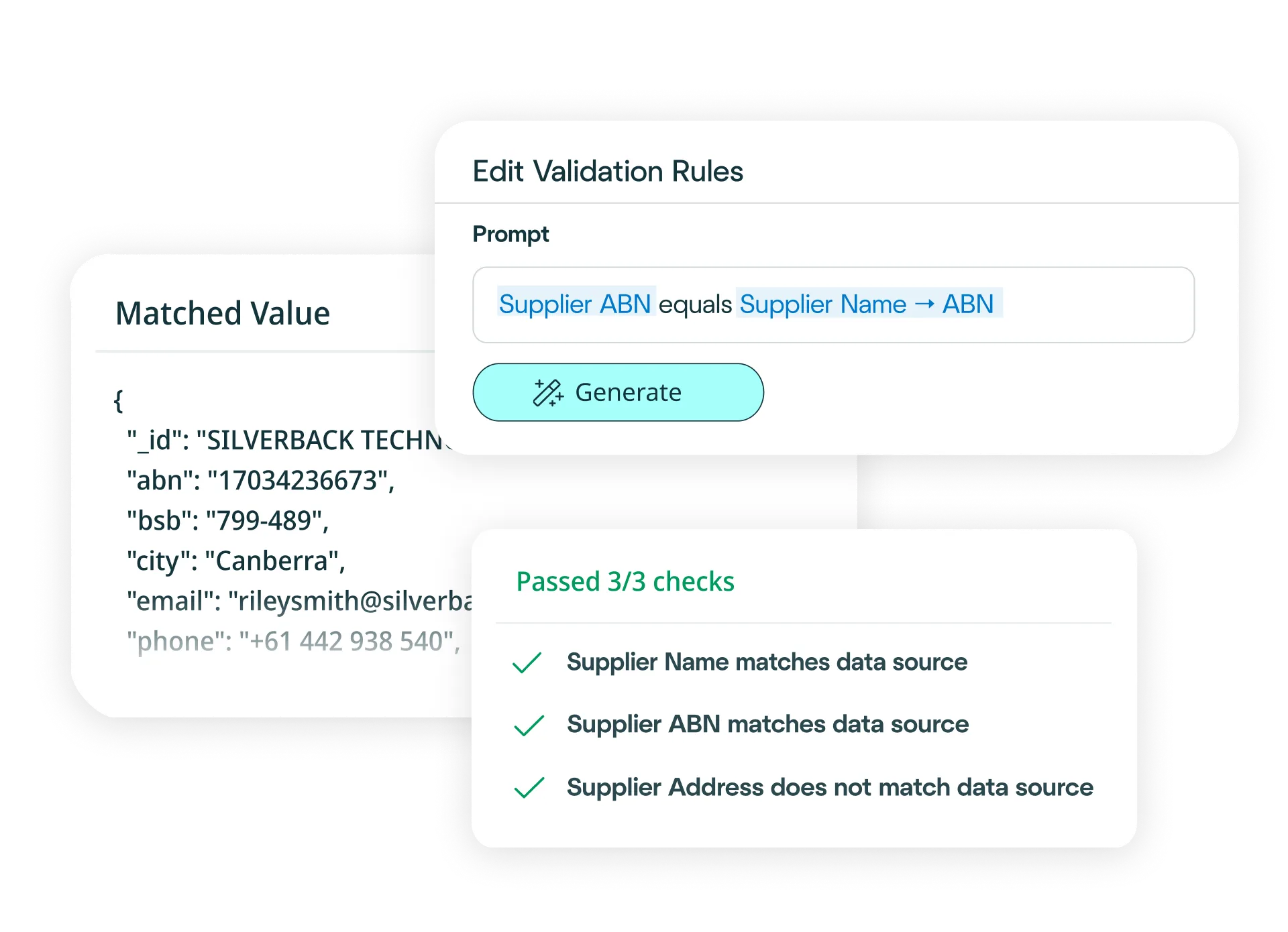
Scans, tables, handwriting, mixed layouts and review flags

Try another free converter
Frequently asked questions about timesheet conversion
How do I convert timesheets to Excel?
Simply upload your timesheet to our free tool at the top of this page, and watch as it converts your timesheet to an Excel file. Our platform reads, extracts, validates and exports your timesheet data before converting it into an Excel file in moments.
Need to convert timesheets to Excel at scale? Try our platform for free - it's fast to set up and integrates easily with your payroll and HRIS systems.
With our platform, you can:
• Upload your timesheets via drag-and-drop, email or API (single or bulk).
• Define your schema (or let the AI predict fields like employee names, dates, hours worked and overtime) and choose Excel output.
• Apply business rules (e.g., flag missing approvals, overtime thresholds or duplicate entries).
• Validate automatically against payroll logic and your workforce management data.
• Export clean Excel files, or push the data straight into your systems.
Result: just minutes to clean, reliable timesheet conversion to Excel — no manual re-keying required.
How do I convert timesheets to CSV files?
Simply upload your timesheet to our free tool at the top of this page, and watch as it converts your timesheet to a CSV file. Our platform reads, extracts, validates and exports your timesheet data before converting it into a CSV file in moments.
Need to convert timesheets to CSV files at scale? Try our platform for free - it's fast to set up and integrates seamlessly with your payroll and workforce management systems. With our platform, you can:
• Upload your timesheets via drag-and-drop, email or API (single or bulk).
• Define your schema (or let the AI predict fields like employee names, dates, hours worked and approvals) and choose CSV file output.
• Apply business rules (e.g., flag overtime thresholds, missing approvals or duplicate entries).
• Validate automatically against payroll logic and your HRIS data.
• Export clean CSV files, or push the data straight into your systems.
Result: just minutes to clean, reliable timesheet conversion to CSV - no manual re-keying required.
How accurate is the conversion from timesheets to Excel or CSV files?
The conversion of timesheets to Excel or CSV is powered by our platform's data extraction capability, which is 99%+ accurate. After data extraction, we convert your data to Excel or CSV automatically and seamlessly. For the handful of timesheets that may need a review, built-in signals alert you and once your team has approved them, your data is converted straight away.
Can I define custom Excel or CSV formats?
Absolutely. Define your Excel or CSV structure through our configuration interface on our platform - specify fields, data types and column order - or simply describe what you need in natural language. Affinda will generate the exact format your payroll or HRIS systems expect.
How quickly can I create a timesheet conversion model?
In minutes. Upload a sample timesheet and let the AI predict fields like employee names, dates, hours worked and approvals. Refine with a few clicks if needed. The model learns from each decision, getting smarter over time and enabling straight-through processing at scale.
What data fields can Affinda's AI extract from timesheets?
Affinda can extract any field. Common fields include:
Employee & timesheet details
• Employee Name / ID / Department
• Manager / Supervisor
• Pay Period (Start Date / End Date)
• Timesheet ID / Reference Number
• Location / Cost Center / Project Code
Time tracking entries
• Date / Day of Week
• Start Time / End Time
• Hours Worked (Regular / Total)
• Overtime Hours / Double Time
• Break Duration
• Task / Activity / Job Code
• Notes / Comments
Approval & administrative fields
• Approval Status / Approver Name
• Signature / Date Approved
• Total Hours (Daily / Weekly / Period)
• Rate / Amount (if present)
• Submission Date
Affinda handles multi-page timesheets, grouped entries, checkboxes and complex data structures automatically.
Need custom fields or a specific template? Define them in the UI or describe them in natural language and our platform will extract and convert them automatically.
What file types does Affinda's timesheets converter support?
Affinda handles all standard file formats, including:
- JPG / JPEG
- PNG
- TIFF
- DOC / DOCX
- XLSX
- HTML
- TXT / CSV
Whether your timesheets are digital PDFs, scanned images or photos taken on-site, we'll convert them into Excel or CSV with consistent, structured output ready for payroll and workforce management systems.
Can Affinda extract data from scanned, low-quality or image-based timesheets?
Yes. Our AI agents combine advanced OCR with LLMs, agentic workflows and proprietary reading-order algorithms to accurately extract data from scanned, low-quality or image-based timesheets. We also enhance poor-quality images to improve recognition - so whether your timesheets are handwritten, photographed on-site or faded scans, we'll convert them to Excel or CSV files with consistent, reliable results.
What languages are supported?
Affinda automatically recognizes and processes timesheets in 50+ languages. Whether you're managing a global workforce or processing timesheets from multiple locations, our AI handles mixed-language documents seamlessly.
Supported languages include: Afrikaans, Albanian, Amharic, Arabic (Standard, Egyptian, Sudanese, Algerian, Moroccan, Levantine), Bahasa Indonesian, Bengali, Bhojpuri, Bulgarian, Burmese, Chinese (Mandarin [PRC/Taiwan]), Cantonese (Wu, Min Nan, Jinyu, Xiang, Hakka), Croatian, Czech, Danish, Dutch, English, Estonian, Finnish, French, German, Greek, Gujarati, Hebrew, Hindi, Hungarian, Italian, Japanese, Javanese, Kannada, Korean, Latvian, Lingala, Lithuanian, Macedonian, Malayalam, Marathi, Nepali, Norwegian, Odia, Persian (Farsi), Polish, Portuguese, Punjabi (Western and Eastern), Romanian, Russian, Slovak, Slovenian, Somali, Spanish, Swahili, Tagalog, Tamil, Telugu, Thai, Turkish, Ukrainian, Urdu, Vietnamese, Yoruba.
Does Affinda integrate with payroll, HRIS and compliance systems?
Yes. Choose from 400+ systems using the Agent, or connect via APIs and client libraries. You can build a no-code workflow - for example, convert timesheets to Excel or CSV, validate against payroll rules, then push directly to your HRIS or compliance platform - or generate type-safe models for custom integrations your developers control.
Can I convert thousands of timesheets to Excel or CSV files?
Yes. The free tool at the top of this page works for single conversions, to process timesheets in bulk, you can sign up for a free trial.
To unlock bulk processing of thousands of timesheets plus straight-through processing into your payroll and workforce management systems, talk to us about our platform. You can try it out and convert your first 500 timesheets for free with our free trial.
What are examples of timesheet conversion workflow automations?
AI timesheet processing helps automate and optimize workforce workflows across business units such as:
- Payroll and HR: Speed up payroll cycles by automatically extracting employee names, dates, hours worked and overtime from any timesheet format. Business-rule validation flags missing approvals, overtime thresholds and duplicate entries before data reaches your payroll system - reducing errors and cutting processing time.
- Staffing and workforce management: Improve resource planning with accurate extraction of project codes, cost centers and task details across multi-location timesheets. Structured data feeds directly into your workforce management platforms, giving you real-time visibility into labor allocation and project costs.
- Compliance and audit: Strengthen labor law compliance by capturing and validating approval status, break durations and overtime patterns across all timesheets. Automated checks ensure regulatory requirements are met, while maintaining complete audit trails that integrate seamlessly with your compliance systems for faster reviews and reporting.
Is my data secure?
Yes. Affinda maintains enterprise-grade security standards. Our platform is ISO 27001:2022 certified and SOC 2 Type 2 and GDPR compliant, ensuring your timesheet data is protected throughout the conversion process. Access is role-based, processing is audit-ready and exports are controlled. If you'd like to discuss security in more detail, you can reach out to us about compliance requirements, deployment options or data residency preferences.
What is timesheet conversion?
Timesheet conversion is the process of transforming a timesheet (PDF, image or digital file) into structured, machine-readable data, such as Excel (XLSX) or CSV. Our AI platform automates every step, from file intake through extraction and validation, so you can convert timesheets to Excel or CSV files in minutes with high accuracy, ready for payroll processing, workforce management or upload to your HRIS.
What is timesheet data extraction?
Timesheet data extraction reads a timesheet and pulls out key data points (e.g., employee name, dates, hours worked, overtime, approvals and reference numbers). Affinda's AI turns unstructured timesheets into clean Excel or CSV formats that feed straight into your payroll, HRIS or workforce management systems.
Our platform blends reading-order models, OCR, LLMs, RAG and agentic workflows to extract data from any layout or language with high accuracy and faster processing times, ideal for both one-off conversions and bulk processing.
Multi-page extraction captures grouped entries, checkboxes and complex data structures automatically, preserving the relationships between employee details, time entries and approval fields to ensure clean, payroll-ready Excel or CSV files.