Convert invoices to Excel or CSV files for free
From raw invoice to structured data
Sample invoice output
- Supplier, dates and payment terms
- Line-item descriptions and totals
- Duplicate, PO and tax validation flags
| Supplier | Invoice no. | Line item | Net | Tax | Status |
|---|---|---|---|---|---|
| Northwind Supplies | INV-1048 | Printer paper | 248.00 | 24.80 | Ready |
| Northwind Supplies | INV-1048 | Toner cartridge | 410.00 | 41.00 | Ready |
| Northwind Supplies | INV-1048 | Freight | 35.00 | 3.50 | Check |
Use the same setup for the messy production version
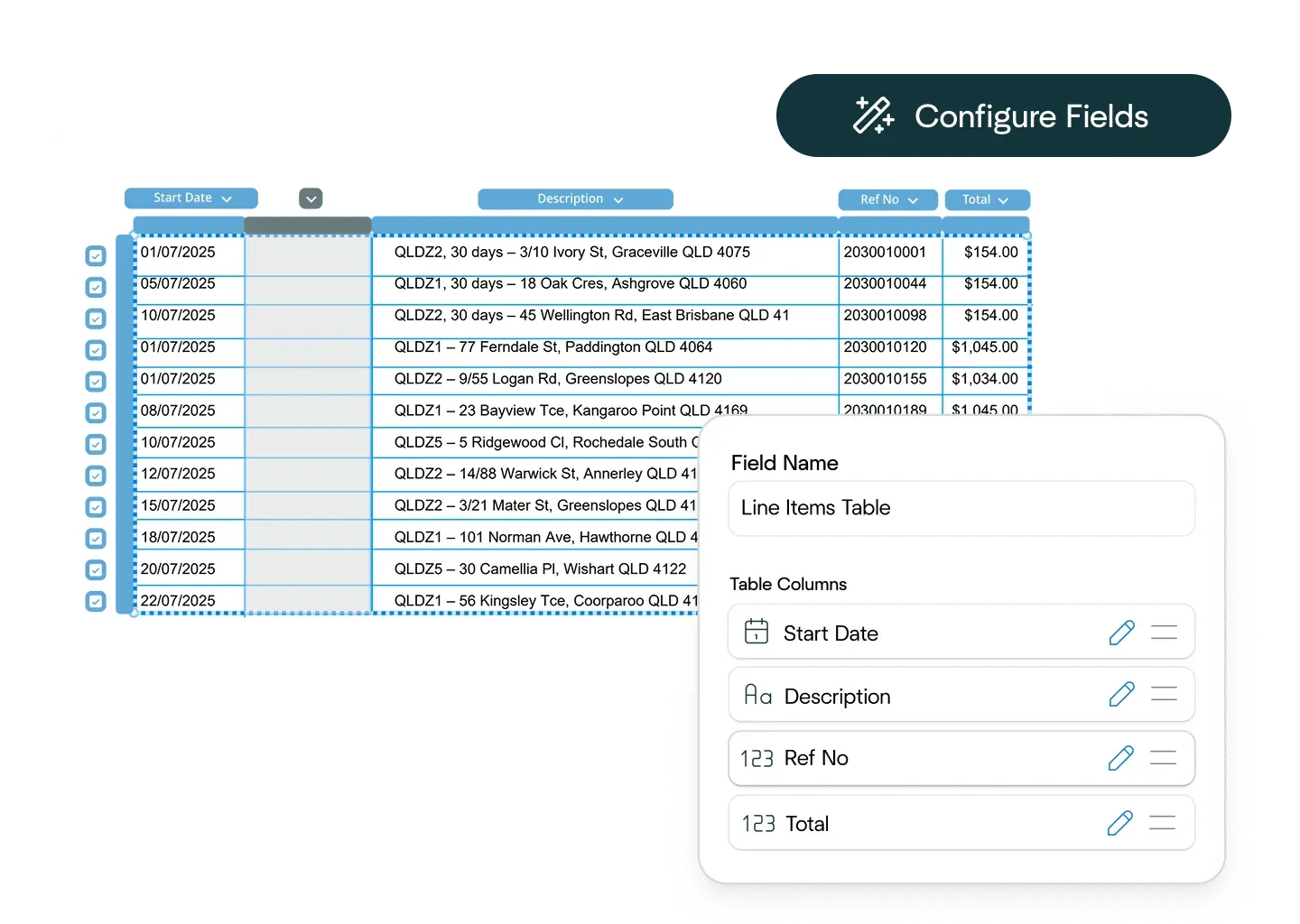
Ask the Affinda Agent to configure the workflow
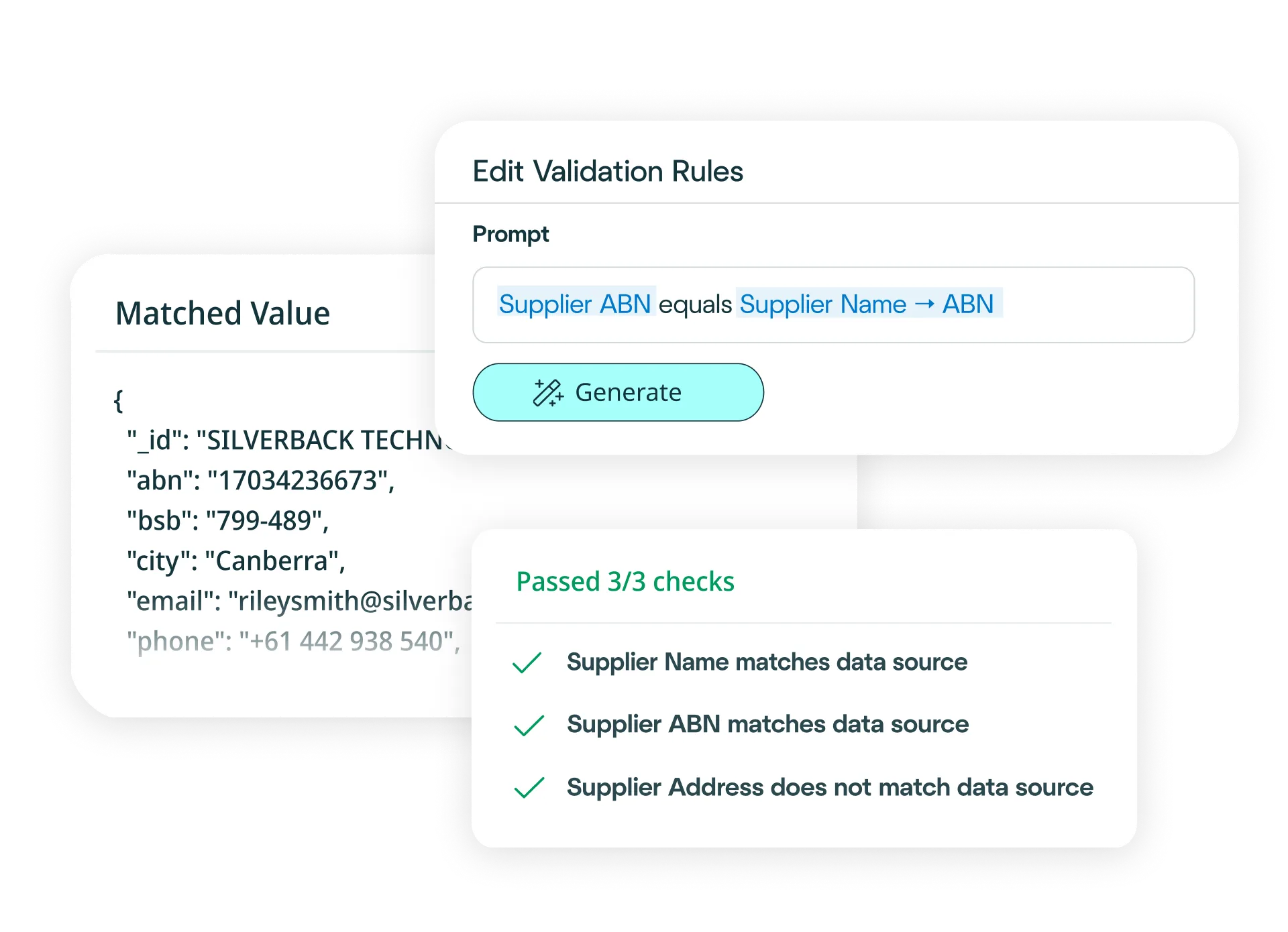
Scans, tables, handwriting, mixed layouts and review flags

Try another free converter
Frequently asked questions about invoice conversion
How do I convert invoices to Excel?
Simply upload your invoice to our free tool at the top of this page, and it will convert your invoice to an Excel file. The platform reads, extracts, validates and exports all your invoice data – including header details, line items and totals – before converting it into an Excel file in moments.
Need to convert invoices to Excel at scale? Try our platform for free – it's fast to set up and integrates easily with your existing business systems.
With our platform, you can:
- Upload your invoices via drag-and-drop, email or API (single or bulk).
- Define your schema (or let the AI predict fields) and choose Excel output.
- Apply business rules (e.g., match to POs, flag duplicates or route for approval).
- Validate automatically against invoice logic and your ERP data.
- Export clean Excel files, or push the data straight into your systems.
Result: just minutes to clean, reliable invoice conversion to Excel – no manual re-keying required.
How do I convert invoices to CSV files?
Simply upload your invoice to our free tool at the top of this page, and it will convert your invoice to a CSV file. The platform reads, extracts, validates and exports all your invoice data – including supplier details, line items and totals – before converting it into a CSV file in moments.
Need to convert invoices to CSV files at scale? Try our platform for free – it's fast to set up and integrates seamlessly with your payroll and workforce management systems. With our platform, you can:
- Upload your invoices via drag-and-drop, email or API (single or bulk).
- Define your schema (or let the AI predict fields) and choose CSV file output.
- Apply business rules (e.g., three-way matching, duplicate detection or approval workflows).
- Validate automatically against invoice logic and your ERP data.
- Export clean CSV files, or push the data straight into your systems.
Result: just minutes to clean, reliable invoice conversion to CSV files – no manual re-keying required.
How accurate is the conversion from invoices to Excel or CSV files?
The conversion of invoices to Excel or CSV is powered by our platform’s data extraction capability, which is 99%+ accurate. After extracting all your invoice data - including supplier details, line items and totals - we convert it to Excel or CSV automatically and seamlessly. For the small number of documents that may need review, built-in signals alert you and, once your team has approved them, your data is converted immediately.
Can I define custom Excel or CSV formats?
Yes. Define the exact fields you need - supplier details, line items, totals, tax codes or any custom data - using our configuration interface, or simply describe your requirements in natural language. Affinda generates the precise Excel or CSV structure your systems require.
How quickly can I create an invoice conversion model?
In minutes. Upload a sample invoice and let our AI predict the fields you need - supplier details, line items, totals and more. Refine with a few clicks if needed. The model learns from every decision, improving accuracy over time and enabling straight-through invoice conversion at scale.
What data fields can Affinda's AI extract from invoices?
Affinda can extract any field. Common fields include:
Header and supplier details
- Supplier name / vendor name
- Supplier address
- Tax ID / VAT number / ABN
- Invoice number
- Invoice date / issue date
- Due date / payment date
- Currency
- PO number / purchase order reference
- Payment terms
- Bill to / ship to address
Line item details
- Description / item name
- Quantity / units
- Unit price
- Line total / extended amount
- Tax code / VAT rate
- GL code / account code / cost center
- Product code / SKU
- Discount (if present)
Totals and tax
- Subtotal / net amount
- Tax amount / VAT total
- Total amount / gross amount
- Tax breakdown (by rate or jurisdiction)
- Freight / shipping charges
- Other charges / adjustments
Other fields
- Customer reference / buyer details
- Bank details / remittance information
- Notes / comments
- Page number (for multi-page invoices)
Need custom fields or a specific template? Define them in the UI or describe them in natural language and the platform will extract and convert them automatically.
What file types does Affinda's invoice converter support?
Affinda handles all standard file formats, including:
- JPG / JPEG
- PNG
- TIFF
- DOC / DOCX
- XLSX
- HTML
- TXT / CSV
Whether your invoices are digital PDFs, scanned documents or photos taken on a phone, we convert them into Excel or CSV with accurate data extraction across all header details, line items and totals.
Can Affinda extract data from scanned, low-quality or image-based invoices?
Yes. We combine advanced OCR with LLMs, agentic workflows and proprietary reading-order algorithms to accurately capture data from scanned or photographed invoices. The platform also handles invoices with stamps, handwritten notes and poor-quality scans, enhancing images to improve recognition. This means you can convert even the most challenging invoices to Excel or CSV files with confidence.
What languages and currencies are supported?
Affinda processes invoices in 50+ languages and recognizes any currency -including multi-currency invoices with mixed transaction types. Mixed-language invoices are handled seamlessly, and currency symbols, codes and formats are preserved or normalized according to your export settings for Excel or CSV.
Supported languages include: Afrikaans, Albanian, Amharic, Arabic (Standard, Egyptian, Sudanese, Algerian, Moroccan, Levantine), Bahasa Indonesian, Bengali, Bhojpuri, Bulgarian, Burmese, Chinese (Mandarin [PRC/Taiwan]), Cantonese (Wu, Min Nan, Jinyu, Xiang, Hakka), Croatian, Czech, Danish, Dutch, English, Estonian, Finnish, French, German, Greek, Gujarati, Hebrew, Hindi, Hungarian, Italian, Japanese, Javanese, Kannada, Korean, Latvian, Lingala, Lithuanian, Macedonian, Malayalam, Marathi, Nepali, Norwegian, Odia, Persian (Farsi), Polish, Portuguese, Punjabi (Western and Eastern), Romanian, Russian, Slovak, Slovenian, Somali, Spanish, Swahili, Tagalog, Tamil, Telugu, Thai, Turkish, Ukrainian, Urdu, Vietnamese, Yoruba.
Does Affinda integrate with ERP, AP automation and procurement systems?
Yes. Affinda connects with ERP systems, AP automation platforms, procurement tools and data warehouses. Use the Agent to choose from 400+ systems and build no-code workflows - convert invoices to Excel or CSV, validate and push straight to your systems. You can also integrate via APIs and client libraries with auto-generated type-safe models for developer-led projects.
Can I convert thousands of invoices to Excel or CSV files?
Yes. The free tool at the top of this page works for single conversions. To process invoices in bulk, you can sign up for a free trial.
To benefit from bulk conversion of thousands of invoices plus straight-through processing directly into your ERP, AP automation or procurement systems, talk to us about the platform. You can process the first 200 invoice pages for free with the trial.
What are examples of invoice conversion workflow automations?
AI invoice processing helps automate and optimize financial workflows across business units such as:
- Accounts payable: Accelerate invoice processing by automatically extracting supplier details, line items, totals and tax data from any invoice format. Business-rule validation enables three-way matching against POs and receipts, flags duplicate invoices and routes exceptions for approval -feeding clean, structured data straight into your ERP for faster payment cycles and improved cash flow.
- Procurement and purchasing: Speed up purchase-to-pay workflows with accurate extraction of PO numbers, item descriptions, quantities and pricing - automatically matching invoices to purchase orders and receipts. Validation rules catch pricing discrepancies and quantity mismatches before they reach procurement systems, reducing disputes and improving supplier relationships.
- Finance operations and shared services: Strengthen spend visibility and reporting by capturing GL codes, cost centers and supplier data across thousands of invoices - integrating with BI tools and data warehouses to deliver real-time spend analytics, budget tracking and audit-ready documentation.
Is my data secure?
Yes. Affinda maintains enterprise-grade security standards. Our platform is ISO 27001:2022 certified and SOC 2 Type 2 and GDPR compliant, ensuring your invoice data is protected throughout the conversion process. Access is role-based, processing is audit-ready and exports are controlled. If you'd like to discuss security in more detail, you can reach out to us about compliance requirements, deployment options or data residency preferences.
What is invoice conversion?
Invoice conversion is the process of transforming an invoice (PDF, scanned image or digital file) into structured, machine-readable data like Excel (XLSX) or CSV. Affinda’s AI platform automates the entire workflow - from document intake through extraction, validation and export - so you can convert invoices to Excel or CSV files in minutes with 99%+ accuracy, ready for accounts payable processing, spend analysis or integration with your business systems.
What is invoice data extraction?
Invoice data extraction reads an invoice and pulls out key data points such as supplier name, invoice number, dates, line items, tax amounts and totals. Affinda’s AI turns unstructured invoices into clean Excel or CSV formats that feed straight into your ERP, AP automation platforms or downstream workflows.
The platform combines reading-order models, OCR, LLMs, RAG and agentic workflows to extract data from any invoice layout or language with high accuracy and fast processing times, suitable for both one-off conversions and bulk processing.
Line-item extraction captures every row in the invoice’s item table and preserves the relationships between columns (description, quantity, unit price, line total, tax codes, etc.). Complex-tables capability “reads” your invoice lines with strong contextual understanding, ensuring clean, analysis-ready Excel or CSV files that support three-way matching, spend analysis and straight-through processing.